Planning and validating new business ideas puts founders in a maze of overlapping task managers with no clear signal. Most task managers focus on back office operations or scheduling, missing powerful ideation and market validation features for early stage founders. This comparison shows pricing, workflow depth, and market insight tools across four alternatives, so founders can match a platform to current startup needs.
Table of Contents
siift.ai
At a Glance
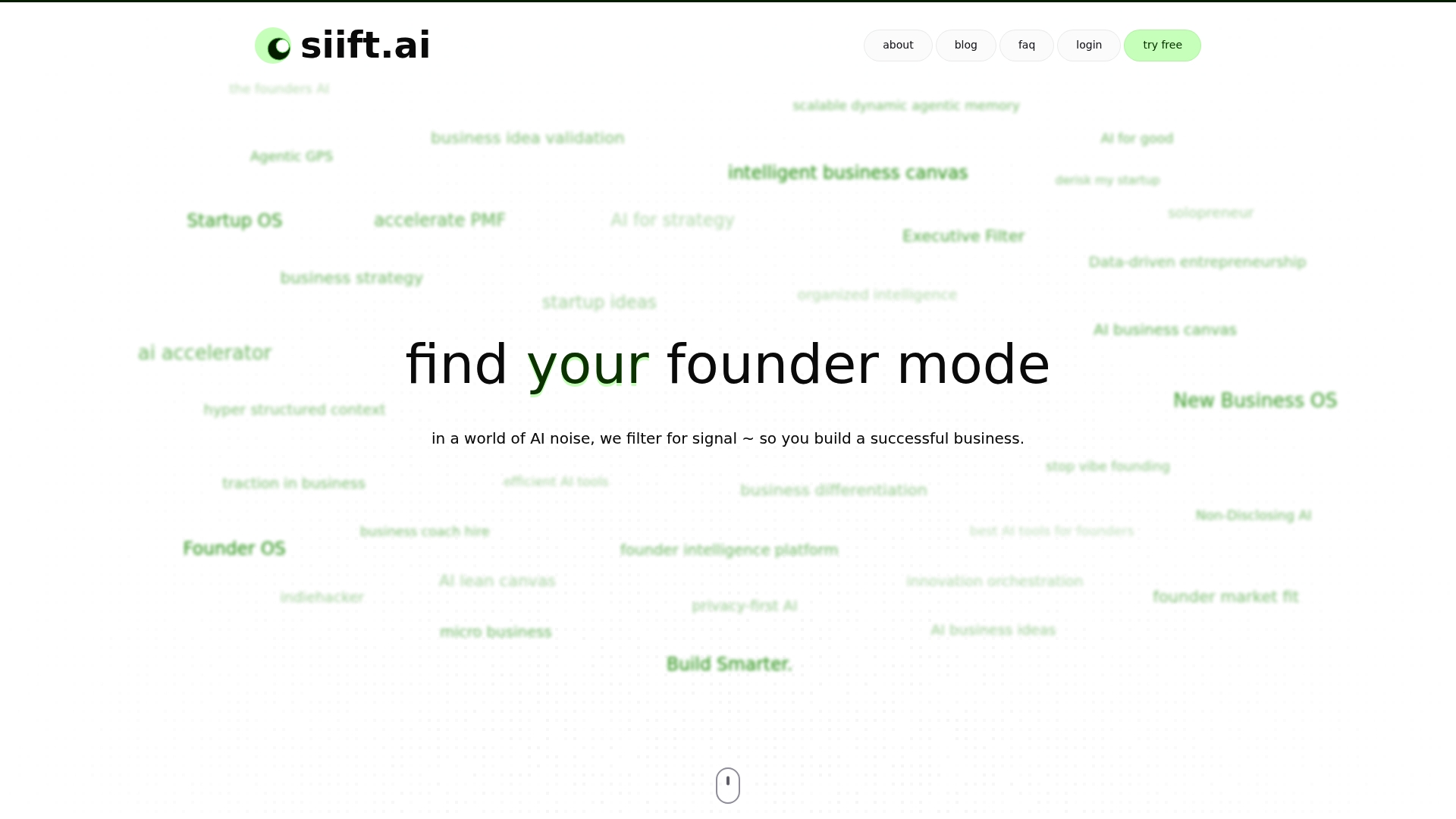
Filters noisy AI outputs into structured validation signals for early stage business ideas. The platform organizes ideas into clear categories, and surfaces market demand indicators. That focus speeds hypothesis testing and practical planning for solo founders and small teams.
Core Features
siift.ai organizes ideas into structured categories and uses AI assistance to produce objective, data driven guidance. It offers validation signals for market demand and tools to refine and prioritize business ideas. The product also supports mapping customer workflows and building go to market strategies.
Key Differentiator
The single strongest distinction is its emphasis on objective, data driven guidance tailored to early stage founders. That focus aims to derisk startup decisions by highlighting clear validation signals and priorities. The approach targets planning and validation rather than back office operations.
Pros
The platform gives individual founders the ability to validate and refine ideas with analytical rigor similar to basic consulting work. Its workflow synthesizes existing tool stacks into a single organized view so strategy development feels less scattered. The validation tools help teams prioritize MVP work and map customer workflows with enough granularity to plan next steps.
Cons
Relies on AI driven insight that may not replace human expertise for complex market or regulatory nuance.
Who It’s For
This tool fits solo founders, early stage entrepreneurs, and small startup teams focused on validation and planning. It suits people who need structured guidance to move from an idea to a prioritized MVP. It is not aimed at large enterprises that require heavy back office features.
Unique Value Proposition
New Business OS centers an Agentic AI workflow that guides founders step by step through ideation, validation, and go to market planning. The app claims to accelerate progress toward product market fit by filtering biases, blindspots, distractions, gatekeepers, and uncertainty. It positions itself as a practical engine for hypothesis testing rather than a replacement for full service consulting.
Real World Use Case
A founder used siift.ai to validate a niche commerce idea, map a target customer workflow, and refine an MVP feature set. The founder cut exploratory work time by focusing on the highest priority experiments the platform suggested. The result was a clearer product spec and fewer wasted development cycles.
Pricing
Pricing is not publicly listed. The vendor likely uses a subscription or enterprise SaaS model for access and ongoing updates. Prospective buyers should request a demo or pricing sheet for seat counts and feature tiers.
Website: https://siift.ai
Bordio
At a Glance
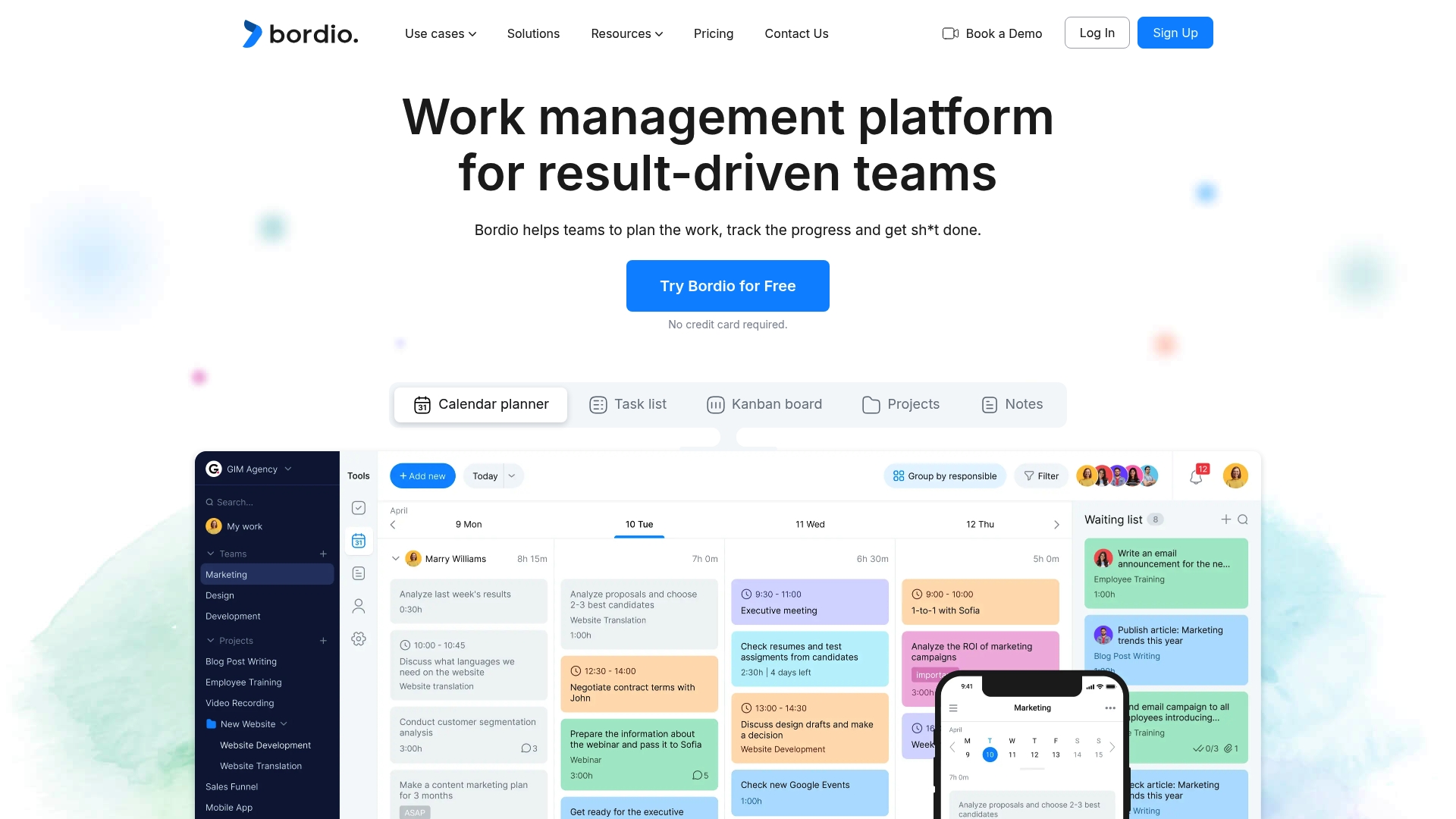
Free for personal use with up to 10 projects. Paid plans start at $5.99 per user/month and add unlimited projects, storage, and advanced features. Bordio pairs task scheduling with calendar sync and mobile access to keep work visible across locations.
Core Features
Bordio centralizes project creation, shared boards, and guest access while letting teams schedule tasks and meetings on specific days. The platform includes a waiting list feature that acts as a backlog and supports custom workflows with adjustable task statuses. Time management tools, mobile access, and reporting help teams monitor progress and identify bottlenecks.
Key Differentiator
Bordio bundles work planning, scheduling, and basic time tracking inside a single platform while keeping workflows flexible. The tight integration with Google Calendar and adjustable task statuses makes scheduling and handoffs easier for teams that rely on calendar driven planning.
Pros
As a combined platform, Bordio reduces app context switching by housing projects, task scheduling, and time tools in one place. Flexible workflow statuses allow teams to model approval steps and handoffs without enforcing rigid templates. Google Calendar sync simplifies meeting and task scheduling. Guest invites and workload balancing help managers distribute tasks across members. The mobile app keeps updates available when people are away from their desks.
Cons
Limited third party integrations beyond Google Calendar restricts workflows that depend on many external apps.
Some reviewers report a learning curve for new users, especially where teams expect a minimal setup.
Pricing may be high for very small teams or solo users who need only a lightweight task list.
When It May Not Fit
If your team depends on a broad integration ecosystem, Bordio may feel limited. If you are a solo user seeking minimal overhead, its feature set can appear complex compared with lightweight list apps. Organizations that require advanced automations or deep third party syncs will need to verify integration coverage carefully.
Notable Integrations
Bordio connects with Google Calendar for two-way scheduling and meeting sync. That integration is the primary external connector listed. There is no public list of additional native integrations beyond calendar sync.
Who It’s For
Mid sized teams and organizations that want a single work management platform with flexible workflows and calendar centric scheduling will get the most from Bordio. Choose it if you need guest access, workload balancing, and mobile updates without stitching many point tools together.
Real World Use Case
A marketing team uses Bordio to run campaigns by scheduling creative tasks and meetings on calendar dates, tracking task status through custom workflows, and sharing projects with external contractors. Reporting highlights overloaded team members so managers can rebalance assignments and keep deadlines on track.
Pricing
Bordio offers a free tier for personal use limited to 10 projects. Paid plans start at $5.99 per user/month and remove project limits while adding storage and advanced features for team use.
Website: https://bordio.com
Cubicl
At a Glance
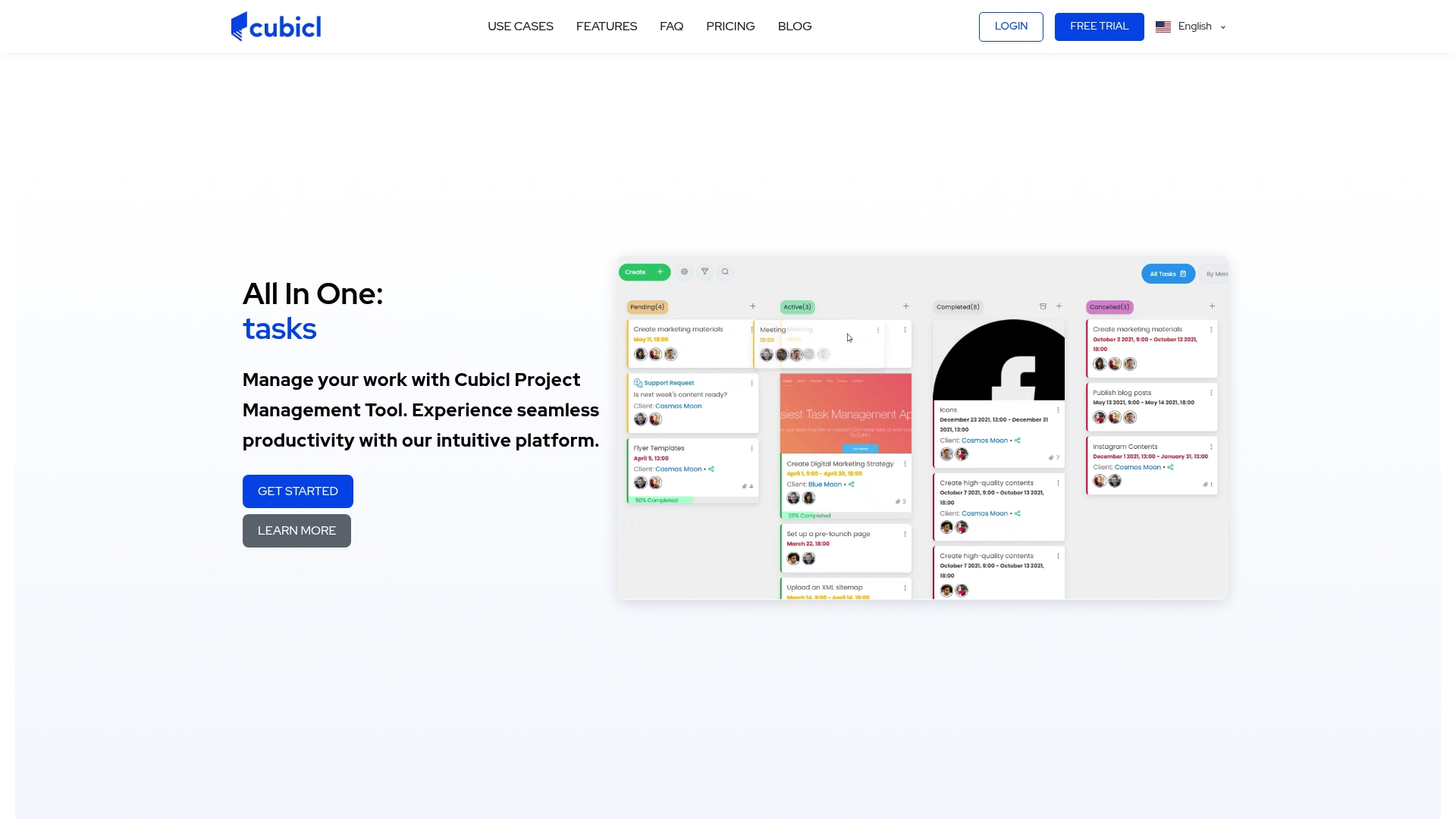
Monthly plans start at $4 per user and scale to $12 per user for enterprise accounts. Cubicl combines project planning, CRM, a client portal, email integration, and bookkeeping into a single product. Its interface aims for configurable views and mobile access, so teams can move between task lists, calendars, and client conversations quickly.
Core Features
Cubicl offers customizable Kanban, list, and calendar views alongside a Gantt chart for timeline planning and milestone tracking. The product includes team chat, file sharing, and activity notifications, plus personal task reminders for individual contributors. Email to task conversion and reporting tools connect client communications to work items and status updates.
Key Differentiator
Cubicl groups project management, CRM, client portals, and bookkeeping into one platform to reduce the number of separate apps a team must use. That integrated approach keeps messages, tasks, and billing records in the same workspace. For teams that prefer fewer subscriptions, this single workspace can cut tool switching.
Pros
Cubicl covers work and client management in one place, which reduces context switching between a CRM and a task tracker. The interface is approachable for mixed skill levels and includes mobile apps for on the go access. Automation features such as email to task conversion and customizable workflows help turn incoming requests into assigned work. Reporting and file sharing support project visibility across internal teams and external clients.
Cons
Advanced features require time to learn. Some teams report a learning curve when they enable the deeper automation and reporting options.
Visual theming options are limited. Users wanting brandable color schemes and layout skinning will find few choices.
Support response times may slow during peak periods. That can affect teams needing urgent fixes or onboarding help.
When It May Not Fit
If your workflow depends on extreme customization or a visual design kit, Cubicl may feel restrictive. Organizations needing highly specialized integrations or UI theming will likely hit limits. Very large enterprises with bespoke tooling needs should evaluate whether the platform maps to their specialized processes before committing.
Notable Integrations
Cubicl connects to common productivity services to keep calendars, files, and messages in sync.
Google Calendar
Google Drive
Gmail
Microsoft Outlook
Dropbox
Slack
Trello
Who It’s For
Teams and small to medium sized enterprises that want a single workspace for projects and client work will get the most value. Marketing agencies, service teams, and internal product groups that handle client communication alongside task planning match the product profile. Organizations looking to replace several point solutions with one subscription will find this approach appealing.
Real World Use Case
A marketing agency uses Cubicl to plan campaign timelines on the Gantt chart, convert client emails into tasks, and share deliverables in client portals. Account managers track billing notes and handoffs alongside the project plan. That keeps client conversations tied to concrete tasks and deadlines.
Pricing
Monthly plans begin at $4 per user for basic features and move up to $12 per user for enterprise level accounts. Pricing scales by feature set and seat count and the vendor advertises these entry and enterprise figures. Larger teams should request a custom enterprise quote to confirm included services.
Website: https://cubicl.io
TaskTak Business Management Platform (BMP)
At a Glance
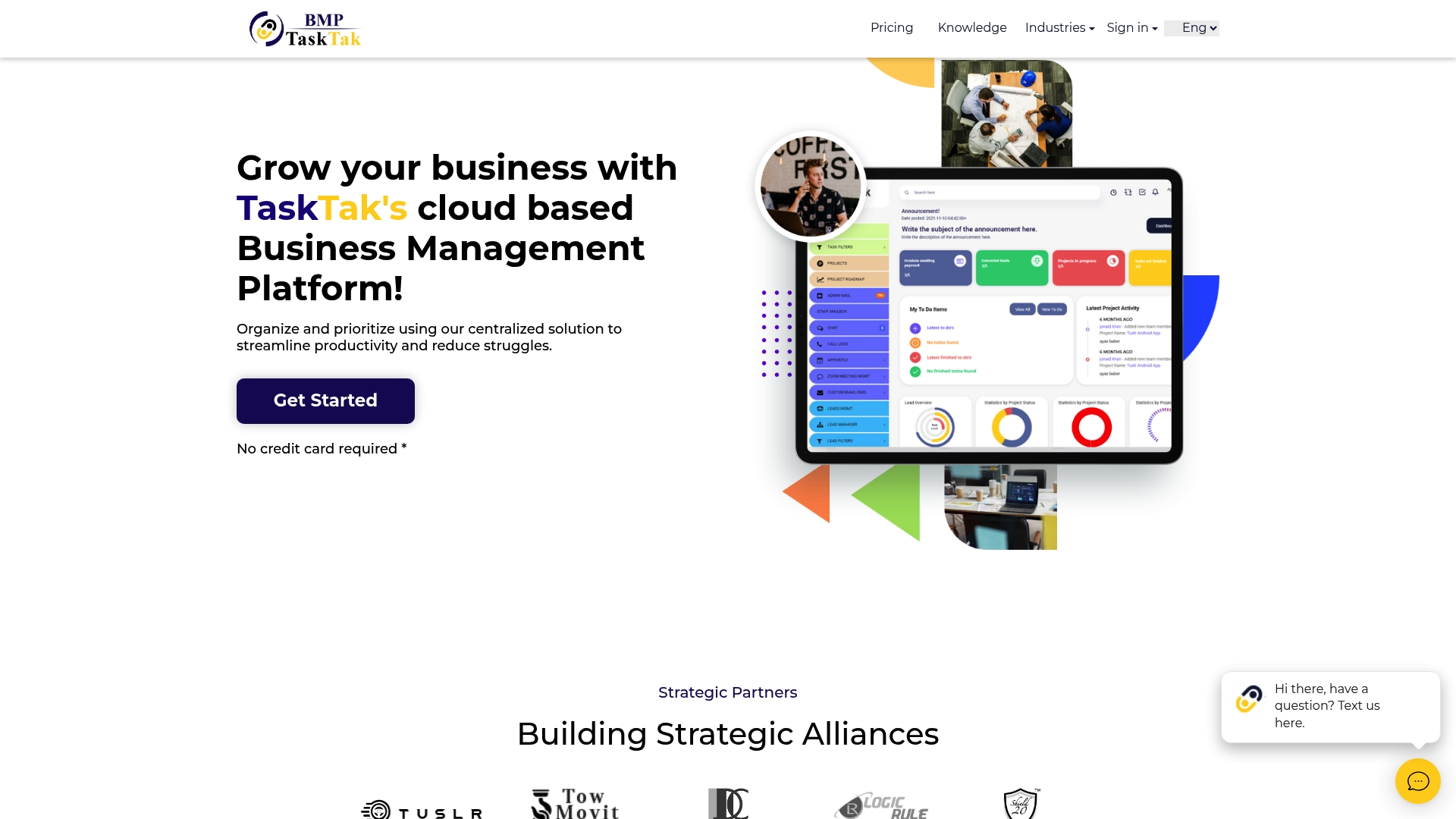
TaskTak combines CRM, project, HR, accounting, and marketing tools inside a single cloud platform accessible from desktop and mobile. Its scope covers client portals, time tracking, invoicing, and customer support features alongside team chat and online spreadsheets. That breadth makes setup steeper for simple businesses but centralizes core operations for teams juggling many tools.
Core Features
The platform bundles CRM capabilities for leads, email, appointments, call logs, and subscriptions with project tools for tasks, milestones, discussion boards, and time tracking. Accounting covers invoicing, sales, expenses, inventory, assets, and journal entries while HR stores records, onboarding steps, recruiting data, and compliance reports. Teams get chat, file sharing, customer portals, marketing campaigns, automated analytics, and a knowledge base in one interface.
Key Differentiator
TaskTak’s main distinction is its unified scope that spans sales, projects, HR, finance, and marketing within one cloud system. The vendor emphasizes ease of use and security as priorities alongside remote access for distributed teams. That combination fits organizations that want fewer separate tools and a single source of operational data.
Pros
The biggest strength is scope. Sales, projects, HR, accounting, and marketing live in the same interface, reducing context switching. Cloud access makes remote work practical and consistent across devices. Built in tools like time tracking, client portals, and a knowledge base cover common operational needs without assembling separate apps. The vendor reports strong security measures and positions the interface as approachable, helping teams adopt multiple modules without deep IT overhead.
Cons
Could overwhelm very small teams. The suite includes many modules that require configuration and training.
Pricing is not listed. You must contact sales for a quote which complicates budget planning.
Integration details are sparse. Advanced custom connectors may require additional work or external tools.
When It May Not Fit
Very small or single person operations that only need a task list will find TaskTak heavy. Teams on tight, fixed budgets may prefer a product with published pricing and lower feature overlap. Companies that require deep, documented API integrations should verify connector options before committing.
Who It’s For
Mid sized companies and growing agencies that manage clients, billing, HR, and marketing benefit most from a unified platform. IT lite teams who prefer vendor hosted systems and fewer separate subscriptions will find the model practical. Cost sensitive buyers or those needing many third party connectors must check fit carefully.
Real World Use Case
A medium sized consulting firm can consolidate CRM, project timelines, invoicing, and HR records on TaskTak. Project managers will track milestones and time while finance posts invoices and reconciles expenses in the same workspace. That single control point reduces the number of logins and handoffs between separate systems.
Pricing
TaskTak does not publish pricing on its site. The vendor lists pricing as not specified and likely requires a custom quote or contact. Budget planners should request a detailed proposal and implementation estimate before buying.
Website: https://tasktak.com
Comparison of Alternatives
siift.ai provides a dedicated focus on validation and decision-support for early-stage founders, emphasizing data-driven insights and tailored workflows. Other platforms in this comparison cater more to operational scaling and generalized management, offering distinct strengths in varied scenarios.
Validation and Decision Support
siift.ai stands out by offering tools tailored specifically for new business ideation and validation. Users can map customer workflows and prioritize MVP features by leveraging guided insights and analytical strategies. Competitors like Cubicl and TaskTak provide broader operational tools combining CRM and project planning, making them more suited for businesses in later scaling stages requiring project views.
Scheduling and Workflow Integration
Bordio shines thanks to its tight integration with Google Calendar, enabling users to schedule tasks and meetings directly from a single interface. Its adaptable workflow statuses are particularly effective for teams with variable approval steps. siift.ai, while strong in validation workflows, does not emphasize external calendar integration, which may be critical for calendar-driven scheduling.
Best Fit
Founders deciding between product ideas who need structured guidance and rapid validation should use siift.ai.
Mid-sized teams that rely heavily on scheduling and calendar integration for meeting task deadlines may prefer Bordio for its extensive time-planning capabilities.
Customer-facing agencies seeking to eliminate application context switching should consider Cubicl for its integration of task management, client portals, and billing.
Teams handling operations across diverse business modules might benefit from TaskTak’s extensive suite incorporating CRM, accounting, and HR tools.
Our Pick
siift.ai excels where structured validation and strategic planning tailored for new business ideas are priorities. Its focus on bringing analytical rigor to ideation processes makes it a versatile tool for early-stage founders. Teams prioritizing advanced integration or operational features, however, may explore alternatives such as Bordio or Cubicl.
For entrepreneurs needing software to validate and plan business ideas effectively, consider the options below.
Product | Core Feature | Key Differentiator | Best for | Pricing | Notable Limitation |
|---|---|---|---|---|---|
Siift | Idea organization and validation tools | Analytical rigor for startup ideation | Solo founders and early stage entrepreneurs | Price not published | Relies on AI, which may not cover detailed market or regulatory nuances |
Bordio | Task scheduling with calendar sync | Calendar integration for planning | Mid-sized teams needing centralized task tracking | Free tier; paid from $5.99/user/month | Limited integrations beyond Google Calendar |
Cubicl | Project planning with CRM integration | Combines management tools into one app | Teams handling client communication alongside planning | From $4/user/month | Visual theming and support response times can feel limited |
TaskTak | Unified suite for operations | Comprehensive scope covering multiple departments | Mid-sized companies with diverse operational needs | Price not published | Overhead may overwhelm small teams needing only basic functionality |
How Can Founders Cut Through Task Management Noise and Validate Ideas Faster?
Task manager Asana alternatives often focus on organizing tasks but miss the bigger picture for solo founders and small teams. If you struggle to turn ideas into actionable, validated plans amid scattered tools, Siift offers a clear solution. Siift filters noisy AI outputs into structured insights that expose market demand and priority paths, so entrepreneurs gain clarity and confidence instead of drowning in endless lists.
This Agentic AI platform guides you step-by-step through ideation, validation, and go-to-market strategies designed specifically for early stage entrepreneurs. Explore how Siift can help you move beyond basic task management toward a prioritized, validated business model at Siift’s homepage. Take control of your founder journey: focus on building what matters most with data-driven clarity and speed.
FAQ
How does Siift help founders validate their business ideas?
Siift provides structured validation signals for early stage business ideas, organizing them into clear categories. This helps founders swiftly test hypotheses and plan practically, enabling a smoother path from idea to market.
What is the difference between Cubicl and Siift?
Cubicl excels in bundling project management, CRM, and client portals into a single interface, making it suitable for teams managing multiple aspects of client work. Siift, on the other hand, focuses specifically on early stage founders by providing data-driven guidance for validation and planning, which is key for those prepping for an MVP launch.
Can I use Siift if I am a solo founder?
Yes, Siift is particularly designed for solo founders and small startup teams, offering valuable resources to prioritize MVP work and refine business ideas. This makes it a great choice for individuals looking to validate their concepts without needing extensive resources.
How does Bordio compare to Siift for task management?
Bordio is strong in task scheduling and integrates well with Google Calendar, making it convenient for teams focused on calendar-driven planning. Siift, however, is tailored more towards providing validation signals and insights specifically for early stage founders, offering a different approach to managing tasks during the ideation and validation phases.
What unique features does Siift offer for hypothesis testing?
Siift emphasizes objective, data-driven guidance that highlights clear validation signals and priorities, which are crucial during the early stages of a startup. This approach allows founders to minimize uncertainty and focus on critical next steps for their ideas.