Running early stage projects and startup experiments without eating subscription costs from day one is a headache for founders and small teams. Most free plans lock away multi-user access, storage, or validation features until you upgrade. This comparison lays out where six free tools deliver on unlimited projects, user seats, and genuine idea validation so you can start building without a cost crunch.
Table of Contents
siift.ai
At a Glance
siift.ai turns conversational prompts into prioritized, testable business plans. The platform organizes ideas, runs market analysis, and suggests next actions using natural language interaction. The vendor describes Siift as the New Business OS and an Agentic AI platform for entrepreneurs.
Core Features
Siift offers AI powered idea validation and market analysis while organizing and prioritizing ideas into clear tasks. The system supports natural language conversations to refine concepts and delivers objective, data driven guidance for early stage ventures. It also synthesizes existing business stacks and workflows to reveal gaps and next steps.
Key Differentiator
Siift combines structured validation frameworks with conversational AI so you move from fuzzy ideas to a prioritized plan using back and forth dialogue. That approach filters noise and highlights high impact actions rather than dumping lists of generic tasks. The mix of synthesis and conversational refinement is what separates it from checklist style tools.
Pros
Siift provides a guided path from ideation to strategy that helps founders concentrate on what matters. The conversational interface makes iteration faster than writing long documents and clarifies trade offs during decision making. Objective, data driven feedback reduces confirmation bias during validation and the synthesis feature helps you reuse existing tools and workflows without rebuilding everything.
Cons
- May not suit highly regulated industries or enterprises that require deep technical integrations.
Who It’s For
Solo founders, early stage entrepreneurs, and small business creators who need structured validation and clear next steps will get the most value. People launching a side project or testing a SaaS idea will appreciate the conversational feedback and prioritization. Teams that need heavy back office or compliance features will find it less appropriate.
Unique Value Proposition
The platform turns conversations into an executable strategy by automatically synthesizing your inputs and current workflows into a validated plan. That synthesis reduces busy work and shortens the loop between idea and validated hypothesis. For founders juggling product, market, and limited time, this cuts down guesswork and clarifies where to focus first.
Real World Use Case
A solo founder types a product idea into Siift and asks about market demand. The app runs a focused analysis, highlights competitors, and suggests testable landing page experiments. The founder leaves with a prioritized to do list and a measurable next step to validate demand.
Pricing
Pricing is not specified on the public listing. The vendor advertises a try free label, which suggests there may be a free trial or tiered plans. For exact costs and plan limits check the product website.
Website: https://siift.ai
Plaky
At a Glance
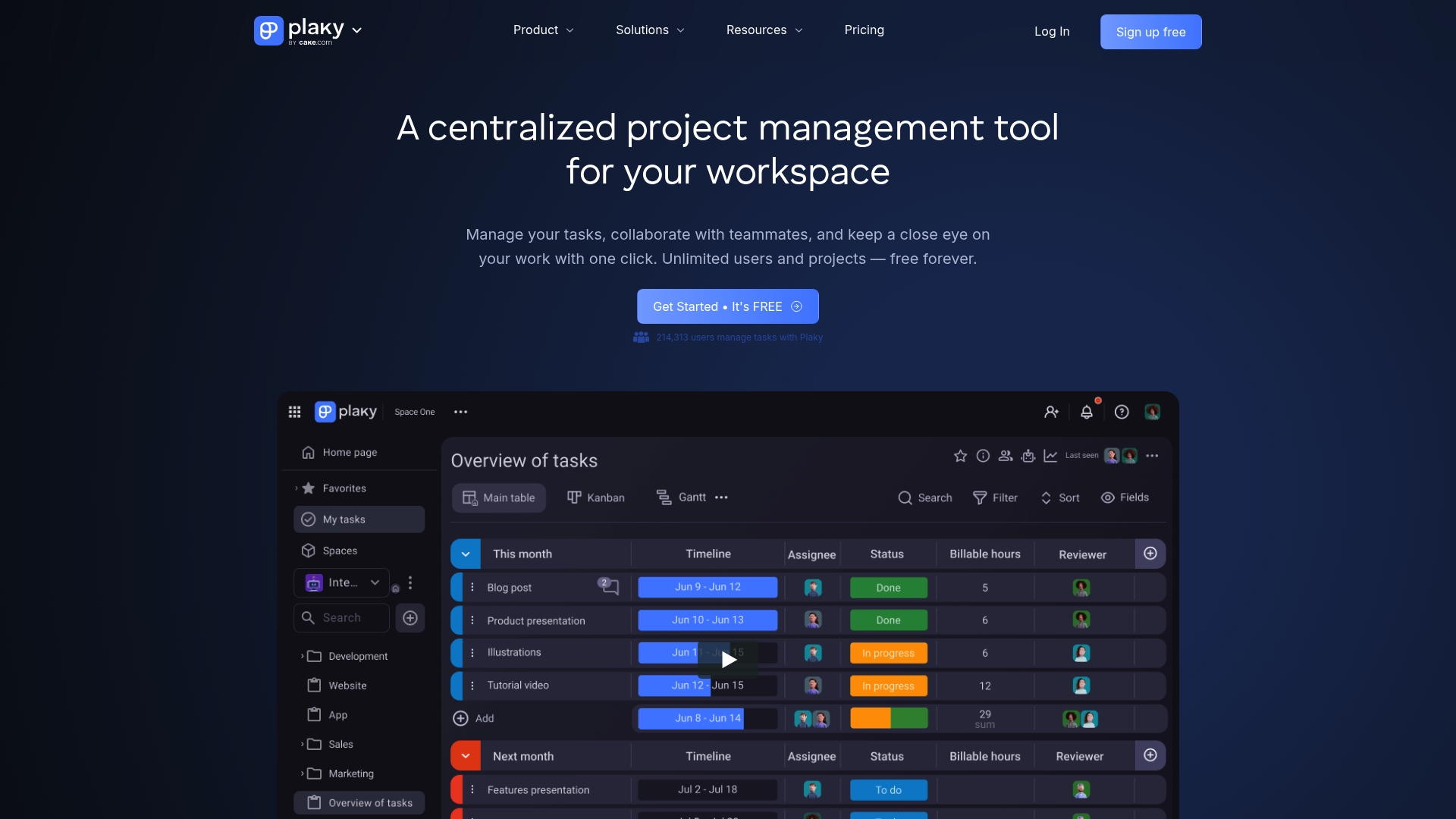
Unlimited users, projects, tasks, and files are available on Plaky’s free plan. That level of openness removes the usual barrier when students or small teams try a new tool. Plaky combines boards, automations, templates, and activity logs to keep collaboration visible and easy to adopt.
Core Features
Plaky delivers task management with boards, items, custom fields, and threaded comments so teams can organize work by status or sprint. It adds progress tracking through board views, sort and filter controls, and activity logs to follow who did what and when. Productivity tools include automations, reusable templates, and notifications plus mobile apps for on the go access.
Key Differentiator
The standout is the free plan that allows truly unlimited users, projects, tasks, and files, which lowers the cost of team adoption. Plaky also exposes enterprise security and customization options at paid tiers, but it targets teams that need practical project control rather than founder-focused strategic tooling.
Pros
The free tier removes seat limits and file caps, which speeds onboarding for classrooms and volunteer groups. The interface is intuitive, so new members start contributing quickly and do not need long training. Built in automations and templates reduce repetitive updates, and mobile apps keep task lists current when people are away from their desks.
Cons
- Premium features such as private boards, more storage, and advanced permissions require paid plans.
- Some advanced integrations and security features are reserved for enterprise plans.
- Lower tier plans limit the number of automation actions compared with higher plans.
When It May Not Fit
Teams that must keep boards private or enforce granular permissions will need a paid plan. Organizations that require wide automation capabilities or specific enterprise security controls may find those features behind higher tiers. Large enterprises with strict compliance demands should confirm available controls before committing.
Notable Integrations
Plaky connects to Pumble team communication for chat and to Clockify time tracking for logging hours. These integrations cover basic team chat and time reporting needs without complex setup.
Who It’s For
Small to medium size teams that want an affordable, flexible project management tool for common workflows. Ideal for marketing groups, campus project teams, community organizations, and startups that need many contributors without per seat cost. Not ideal for organizations demanding advanced permissioning on a free plan.
Real World Use Case
A marketing team organizes campaign work into boards for planning, creative, and launch phases. Team members attach briefs and assets, set automations to move items when stages complete, and use mobile apps to update statuses while on shoots. That keeps deadlines visible and approvals faster across multiple campaigns.
Pricing
Plaky offers a free tier with core features and unlimited users, projects, tasks, and files. Paid plans start at $3.99 per user per month for Pro and $8.99 per user per month for Enterprise, with add on options for advanced security and customization.
Website: https://plaky.com
Taskee
At a Glance
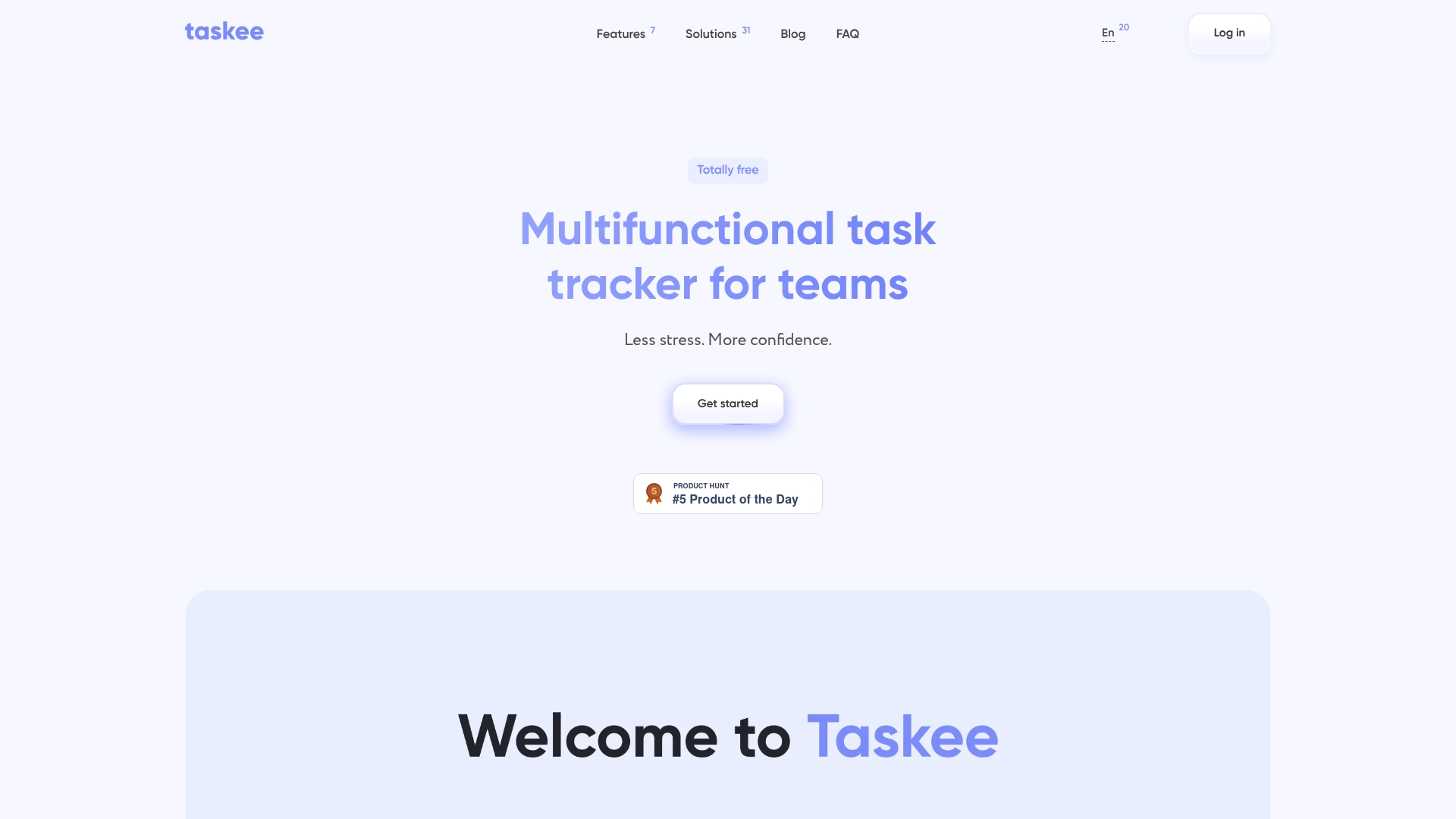
Taskee’s marketing materials state it offers free access with unlimited users and 10 GB storage, supported by optional donations. The app runs fully in mobile browsers and focuses on lightweight team collaboration with task comments, checklists, and presence awareness. That combination makes it unusually accessible for teams that do not want to manage licensing or separate mobile installs.
Core Features
Taskee combines project management and task tracking with role-based controls, task comments, and checklists for team collaboration. It includes time tracking and reporting for work hours, plus a Kanban board for visual workflow management and customizable statuses, deadlines, and tags. The platform also supports role-based access control and invite management so teams can limit access by role while keeping project views flexible.
Key Differentiator
The standout claim is a completely free multifunctional task manager with customizable project visualization and real-time collaboration. Taskee emphasizes a zoomable Kanban view and live presence indicators to make handoffs and priorities visible. Where Siift focuses on building validated business strategies, Taskee narrows its scope to daily task execution and team-level project coordination.
Pros
Taskee delivers a clean, lightweight interface that is easy for new teammates to adopt and customize with themes. It bundles project management, task assignment, time tracking, and reporting in one web-native experience, so teams avoid juggling multiple paid tools. The vendor states the free plan supports unlimited users and 10 GB storage, which lowers the barrier for small and growing teams that want basic reporting without subscription costs.
Cons
- Limited integrations with other tools so far. This will frustrate teams that need calendar syncing or deep app connections.
- Analytics and automation are less advanced than many premium platforms. Advanced portfolio reporting may be missing for program managers.
- No offline mode or desktop application available. Teams that must work without internet access will find this limiting.
When It May Not Fit
If your team relies on a wide set of third-party integrations, Taskee will likely feel narrow. Large organizations needing advanced project analytics or automation will miss features found in paid enterprise products. Teams that require native desktop apps or offline work should plan for a different solution.
Who It’s For
Small to medium teams that need a free, browser-first project management tool will get the most value. Remote or distributed teams that track time and collaborate in real time will like the presence indicators and mobile responsiveness. Organizations that prefer to avoid subscription fees and manage basic reporting in one place will find this a practical option.
Real World Use Case
A digital marketing agency uses Taskee to run client campaigns, assign tasks to specialists, and track hours per campaign for invoicing. Project managers set tags and deadlines on the Kanban board to show sprint priorities and launch windows. The team exports simple time reports to feed client invoices and performance reviews.
Website: https://taskee.pro
OpenProject
At a Glance
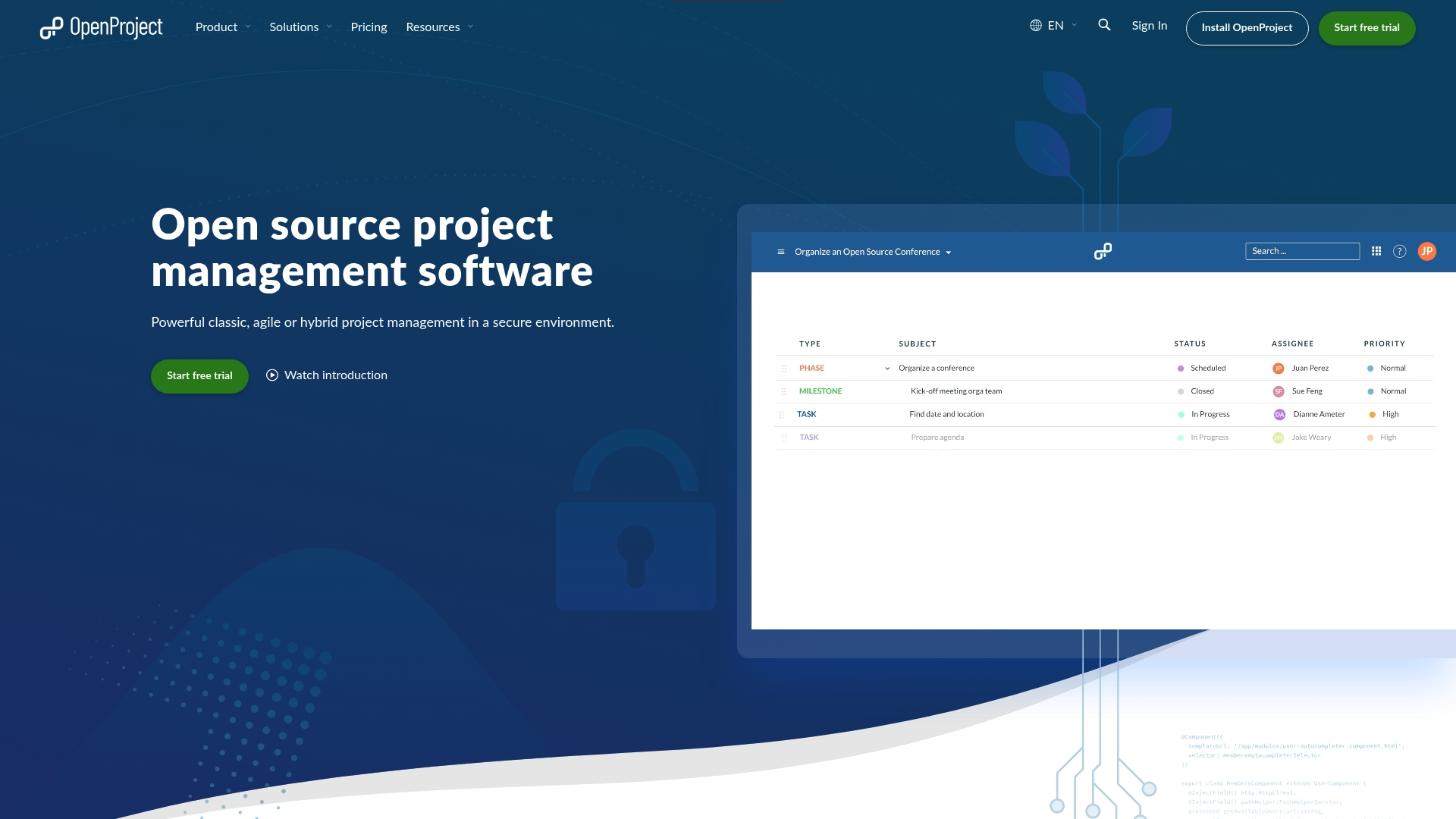
On premises and fully managed cloud hosting are both available, with a strong focus on data sovereignty and privacy. The product is built as open source software with community driven development and optional enterprise support. That combination makes it practical for teams that must keep control of their data while using a mature project tool.
Core Features
OpenProject covers project planning, task and issue tracking, meeting management, and product roadmapping in one app. It supports classic, agile, and hybrid methodologies and includes time tracking, cost reporting, and release planning. The platform also connects to common developer and file services and offers both self hosted and cloud hosting choices.
Key Differentiator
The standout is the emphasis on data sovereignty paired with an open source development model. Organizations can run the software on their own infrastructure or opt for a managed cloud service while keeping ownership of their data. That transparency and hosting flexibility separate it from closed commercial tools aimed only at hosted customers.
Pros
Open source code and an active community give full transparency over feature roadmaps and security fixes. Flexible hosting choices let you pick self hosted deployment for strict data rules or the managed cloud option to reduce ops burden. The vendor also advertises enterprise training and support, and the platform lists wide standards support and integrations with common developer and file services.
Cons
- Technical setup for self hosted deployment may require in house or contracted expertise. This raises the operational overhead for small teams.
- The summary here does not include detailed pricing for enterprise features, so you must check the vendor pricing page for costs.
- Advanced enterprise capabilities and support may require buying the enterprise edition, which could add expense for large organizations.
When It May Not Fit
If you want a zero administration app that works out of the box without any configuration, this product may not fit. Small solo teams without technical support may find self hosted deployment too demanding. Large organizations that need vendor managed enterprise SLAs should plan for the enterprise edition and associated costs.
Notable Integrations
OpenProject lists integrations with common collaboration and developer platforms. Key connections include Nextcloud, GitHub, and GitLab. It also mentions SharePoint and openDesk for document workflows and furniture and office planning use cases.
Who It’s For
IT teams, engineering groups, and public sector organizations that must control their data will get the most value. Product and program managers who run mixed waterfall and agile work will appreciate the methodology support. Companies that can host software or budget for enterprise support will use the platform to replace closed project tools.
Real World Use Case
A mid sized engineering firm used OpenProject to coordinate timelines, budgets, and tasks across departments. The team ran a self hosted instance to keep project data on site and linked repositories in GitLab for traceability. They also used the built in roadmap and meeting management features to align releases and stakeholders.
Website: https://openproject.org
Freedcamp
At a Glance
Core features are free with unlimited projects and unlimited storage. That makes Freedcamp unusually accessible for teams that need many active projects without upfront cost. The free tier covers task lists, Kanban boards, Gantt charts, time tracking, discussions, and file management.
Core Features
Freedcamp bundles task lists, Kanban boards, subtasks, a Gantt chart, milestones, and an issue tracker into one app, and it pairs those with wiki pages and file management. It also provides time tracking, calendar sync, a password manager, CRM tools, and project copying. Mobile apps, browser extensions, custom fields, permissions, and white label options appear across plans.
Key Differentiator
The platform keeps core project tools and unlimited storage available at no cost. That accessibility suits teams that must host many projects without added fees. It targets teams and organizations rather than founder focused, agentic AI tools like Siift.
Pros
Freedcamp gives teams a broad toolset at no charge for core features, which lowers the entry barrier for small groups and departments. The interface offers multiple views and customizable workflows that fit different project styles, and the platform includes app support for iOS, Android, Windows, and MacOS. Integrations with Google Drive, Dropbox, Zapier, Google Calendar, and Microsoft Outlook make it easier to connect existing workflows.
Cons
- Advanced tools such as Gantt charts, custom fields, and richer reporting require paid plans.
- Free accounts have limited customer support options, which can slow issue resolution.
- The sheer number of features can overwhelm new users during onboarding.
When It May Not Fit
If you need advanced reporting or project finance features without extra cost, this product may fall short. Organizations that rely on rapid vendor support will find the free tier thin on options. Very small teams or solo users who only want a minimal task list might prefer a simpler app.
Notable Integrations
- Google Drive
- Dropbox
- Zapier
- Google Calendar
- Microsoft Outlook
Who It’s For
Small to medium teams, nonprofits, educational groups, and startups that need an affordable project management platform will find this appealing. Teams that run many simultaneous projects and need central storage get clear value. Organizations that plan to scale into paid tiers can migrate features as needs grow.
Real World Use Case
A nonprofit coordinates volunteers across regions by using Freedcamp to assign tasks, share calendars, and store donor files. Volunteers update task lists and attach receipts to project files. The team uses discussions and shared calendars to keep remote contributors aligned.
Pricing
Core features are free. Paid plans start at $1.49 per user per month billed annually for Pro, with higher tiers for business and enterprise needs. White label and additional enterprise features sit on the upper tiers.
Website: https://freedcamp.com
Kanbanq
At a Glance
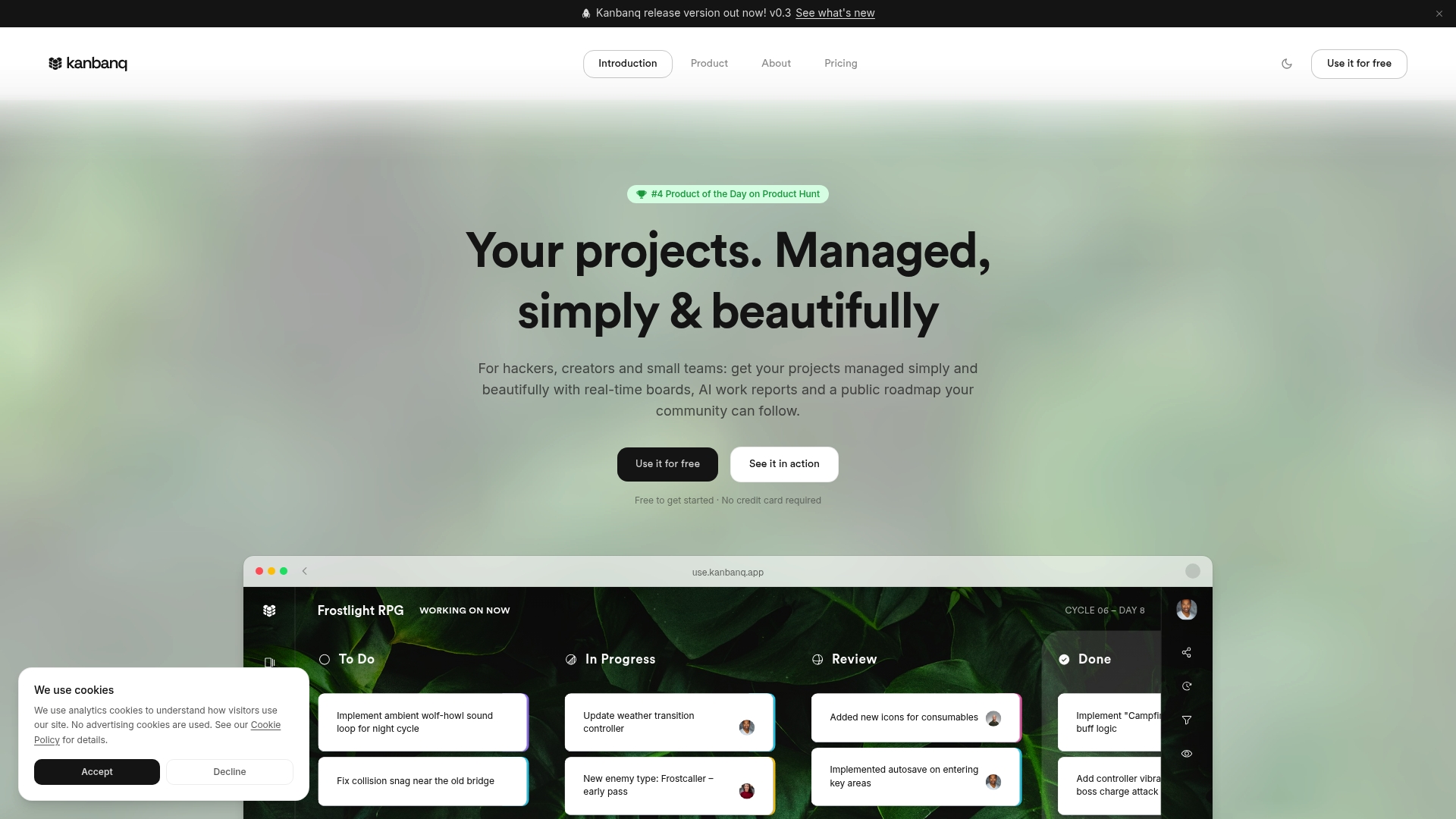
The free plan permits unlimited users and workspaces while capping active tasks at 250 per workspace. That mix makes it practical for classrooms, freelancing groups, and early-stage teams to collaborate without an initial payment. The app also sends automatic AI cycle summaries that email a concise recap of work shipped.
Core Features
Kanbanq uses a real-time kanban board with a dual-board system that separates short-term tasks from a long-term backlog. The platform produces AI cycle summaries that summarize completed work and deliver recap emails to the team. The free tier supports unlimited users and workspaces and limits active tasks to 250 per workspace, with public boards and additional community features listed on the roadmap.
Key Differentiator
The dual-board system combined with automatic AI cycle summaries reduces manual reporting while keeping long-range plans visible. Teams can run daily work on the short-term board and migrate priorities to the backlog board for planning. That approach makes status updates easier and preserves context between sprints and product planning.
Pros
The free tier removes an early billing barrier by allowing unlimited collaborators and multiple workspaces with no credit card required. The visual kanban layout is simple and flexible, which fits small teams, students, and freelancers who prefer low-friction task tracking. AI summaries reduce the need for manual status emails and help keep stakeholders informed without extra meetings.
Cons
- Some planned features such as AI automation and integrations are still on the roadmap and not yet available.
- The free tier restricts active tasks to 250 per workspace, which may force larger projects to split work across multiple workspaces.
- The product does not list advanced reporting or native time tracking, which limits usefulness for teams that bill by task or need detailed metrics.
When It May Not Fit
If your project regularly needs more than 250 active tasks in a single workspace, Kanbanq may feel constrained. Teams that depend on third-party integrations or automated workflows will find gaps because integrations and automation are not yet implemented. Organizations that require time tracking, heavyweight reporting, or enterprise controls should look for alternatives with those built-in features.
Who It’s For
Small teams, freelancers, and students who want a clean, visual task board without a paywall will find Kanbanq attractive. It suits groups that prioritize real-time collaboration and short feedback loops over deep analytics. Use it when you need low setup overhead and open member access across multiple projects.
Real World Use Case
A small software startup runs two-week sprints with developers, a product designer, and a contractor. The team keeps sprint tasks on the short-term board and moves roadmap items to the backlog board for future planning. At the end of each cycle the AI summary emails stakeholders a short recap of shipped work and open items.
Pricing
Kanbanq offers a Free plan that includes unlimited users and workspaces with 250 active tasks per workspace. A Pro plan costs €4.50 per user/month and removes the active task limit while adding AI summaries and unlimited active tasks. The Pro option fits teams that outgrow the free workspace limits.
Website: https://kanbanq.app
Comparison of alternatives
When evaluating tools for streamlined startup ideation and validation, several options stand out for their unique capabilities and use cases. Each platform provides distinct advantages tailored to specific user requirements, making the selection process essential for maximizing efficiency and achieving customer goals.
Unique feature highlights across platforms
siift.ai stands out by facilitating the transition from abstract ideas to business strategies via a conversational AI. This functionality enables entrepreneurs to engage in real-time, natural language dialogues to clarify, validate, and refine their entrepreneurial concepts. By prioritizing feasible next steps, siift.ai aims to aid users in forming well-grounded and competitive business strategies.
In comparison, OpenProject emphasizes data sovereignty, catering particularly to users who prioritize privacy and control of their data through open-source and self-hosted options in addition to managed hosting. Teams with stringent data compliance requirements will find this attribute indispensable. Moreover, Plaky provides a free plan covering unlimited users and projects, which is beneficial for teams seeking a cost-effective solution without initial monetary commitment.
Real-world application and compatibility
For larger teams requiring integration capabilities with existing third-party tools, Freedcamp and Plaky offer broader options for incorporated workflows. Conversely, Taskee gains attention for its simple, browser-based interface and real-time team collaboration that avoids additional installations or subscriptions, making it a practical choice for smaller groups or limited-budget scenarios. Kanbanq emphasizes visual task management suited for group efforts that need to balance immediate priorities with long-term planning.
Best fit
- For structured startup validation from concept to a prioritized plan, siift.ai provides targeted guidance via its conversational interface and AI-driven analyses.
- Users requiring open-source software or handling privacy-sensitive projects will benefit most from OpenProject for its self-hosting capabilities.
- Teams seeking to onboard large numbers of users without seat limitations will appreciate the unlimited free plan features of Plaky and Freedcamp.
- Mobile-first, lightweight teams preferring a donation-supported platform will find a solution in Taskee.
Our pick
For entrepreneurs focusing on research and developing, competitive startups, siift.ai’s unique blend of conversational AI and structured ideation makes it the choice. While other tools provide valuable collaborative features and general project management, siift.ai distinctively tailors its system specifically for early-stage business success. However, those prioritizing open-source transparency or needing advanced integrations may find alternatives such as OpenProject or Freedcamp more fitting for their respective scopes.
Organizing ideas and validating strategies requires tools tailored to your requirements — here are the options.
| Product | Core Feature | Key Differentiator | Best For | Pricing | Notable Limitation |
|---|---|---|---|---|---|
| Siift | Idea validation, market analysis | Conversational refinement | Entrepreneurs and solo founders | Price not published | May not suit heavily regulated industries |
| Plaky | Task management, collaboration | Free tier with unlimited users | Small teams, classroom groups | Free tier; $3.99–8.99 | Advanced security and features require fees |
| Taskee | Task tracking, real-time collaboration | Web-first with role-based controls | Browser-reliant teams | Free | Limited integrations, no offline mode |
| OpenProject | Project planning, privacy | Self-hosted or cloud options | IT teams, engineering groups | Price not published | Technical setup needed for self-hosting |
| Freedcamp | Kanban, Gantt charts, workflows | Unlimited projects and storage | Educational or nonprofit teams | Free tier; $1.49+ | Advanced tools require premium plans |
| Kanbanq | Kanban boards | Short and long-term board system | Small teams, freelancers | Free tier; €4.50/month | Task limit of 250 per workspace |
Struggling to Move Past Task Lists Toward a Validated Business Plan
Free task management apps serve well for organizing daily work, but entrepreneurs often hit a wall when turning ideas into tested, prioritized strategies. If you are an early stage founder or small business creator, juggling multiple roles while seeking clear guidance, generic tools can leave you guessing about what matters most.
Siift is different. Designed as the New Business OS, it guides you through ideation, validation, and go-to-market steps with conversational AI that helps separate noise from high-impact priorities. With Siift, you won’t just manage tasks—you will build a data-driven plan that cuts through uncertainty. Embark on your founder’s path armed with clarity and confidence at siift.ai.
FAQ
What makes Siift a great choice for task management?
Siift offers structured validation frameworks combined with conversational AI to create prioritized, testable business plans. Its ability to run market analysis and suggest actionable next steps makes it ideal for solo founders or early stage entrepreneurs looking to convert ideas into a solid strategy.
How does Siift compare to Plaky in terms of features?
Plaky provides unlimited users, projects, tasks, and files on its free plan, making it highly accessible for small teams. In contrast, Siift excels in transforming conversations into validated business strategies, which offers a more direct path for startup founders focused on idea validation.
Can I use Siift for team collaboration?
Siift does focus primarily on solo founders and early stage entrepreneurs, so it may not fully support large team dynamics as effectively as some competitors. Single-user scenarios benefit from the conversational and structured guidance Siift provides, leading to clear next steps in validation.
What integration features does Siift offer compared to Freedcamp?
While Freedcamp integrates with tools like Google Drive and Dropbox for seamless file management, Siift focuses on synthesizing existing workflows into actionable plans. This makes Siift better suited for startup validation, whereas Freedcamp excels at collaboration and project management for a broader team context.
How does Siift’s pricing compare with Taskee’s offerings?
Siift’s pricing details are not specified publicly, unlike Taskee, which provides free access with unlimited users and storage in its free plan. For founders who need a low-risk entry, Taskee may seem more attractive, while Siift is specifically tailored to entrepreneurs looking to validate business ideas.