
Tracking business expenses does not have to feel overwhelming. Smart tools can take the stress out of keeping your finances in order. Imagine having clear reports, easy access to receipts, and a way to catch every dollar spent. Some programs offer unique ways to organize your costs or automate tasks you might hate doing, while others give extra insight into where your money goes. Curious about which software could make your next budget easier to manage or help you avoid missed deductions? You might be surprised how effortless expense management can become with the right choice.
Table of Contents
Brex
At a Glance
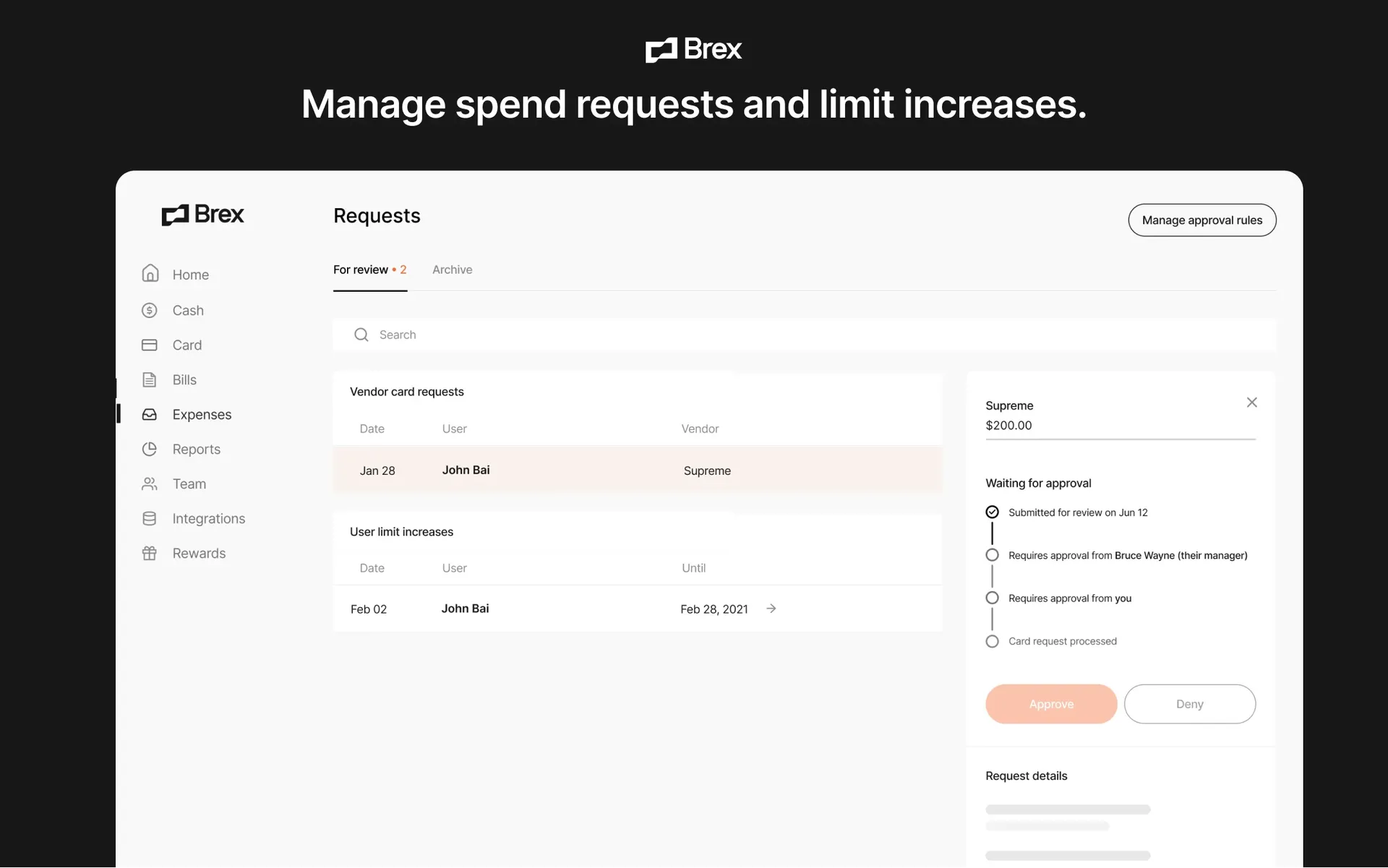
Brex is a modern spend management platform that combines corporate cards, expense tracking, bill pay, travel management, and AI-powered financial automation. Designed for startups and growing businesses, it helps founders gain greater visibility and control over company spending while reducing manual finance work.
Core Features
Brex centralizes business spending through corporate cards, expense management, accounts payable automation, and travel booking tools. Teams can issue physical and virtual cards, set spending limits, and monitor expenses in real time from a single dashboard.
The platform uses AI to automate expense categorization, receipt matching, policy enforcement, and transaction reviews. Brex also integrates with accounting systems to streamline reconciliation and provides detailed reporting that helps businesses understand spending patterns and cash flow.
Pros
Brex combines corporate cards, expense management, bill payments, and travel booking in a single platform, reducing the need for multiple finance tools.
AI-powered automation helps finance teams save time by categorizing transactions, matching receipts, and identifying policy violations automatically.
Real-time spending visibility allows business owners to monitor budgets, card usage, and company expenses as they happen.
Strong startup-focused features such as virtual cards, spending controls, and automated approvals help businesses scale financial operations efficiently.
Integrations with popular accounting and ERP platforms simplify month-end closing and financial reporting.
Cons
Some advanced features and higher spending limits may require qualification based on company size and financial profile.
Businesses with very simple expense tracking needs may find the platform more robust than necessary.
The breadth of features can create a learning curve for teams transitioning from basic expense management tools.
International availability and certain financial products may vary by region.
Who It’s For
Brex is ideal for startups, venture-backed companies, technology businesses, and growing organizations that want greater control over spending while reducing manual financial processes. Finance teams, founders, and operations leaders benefit most from its automation and visibility features.
Unique Value Proposition
Unlike traditional expense tracking software, Brex combines spend management, corporate cards, accounts payable, travel management, and AI-powered financial automation in one ecosystem. This creates a seamless workflow from purchase to reconciliation, helping businesses operate more efficiently as they scale.
Real World Use Case
A fast-growing startup issues virtual cards to different departments through Brex and automatically enforces spending policies. Employees submit receipts through the platform, transactions are categorized automatically, and approved expenses sync directly with the company's accounting software. The finance team spends less time on manual reconciliation and gains real-time insight into company spending.
Pricing
Brex offers multiple plans tailored to startups and growing businesses. Pricing varies based on selected features and company requirements, with custom enterprise options available for larger organizations. Businesses should contact Brex directly for current plan details and eligibility requirements.
Website: https://www.brex.com
Easy Expense
At a Glance
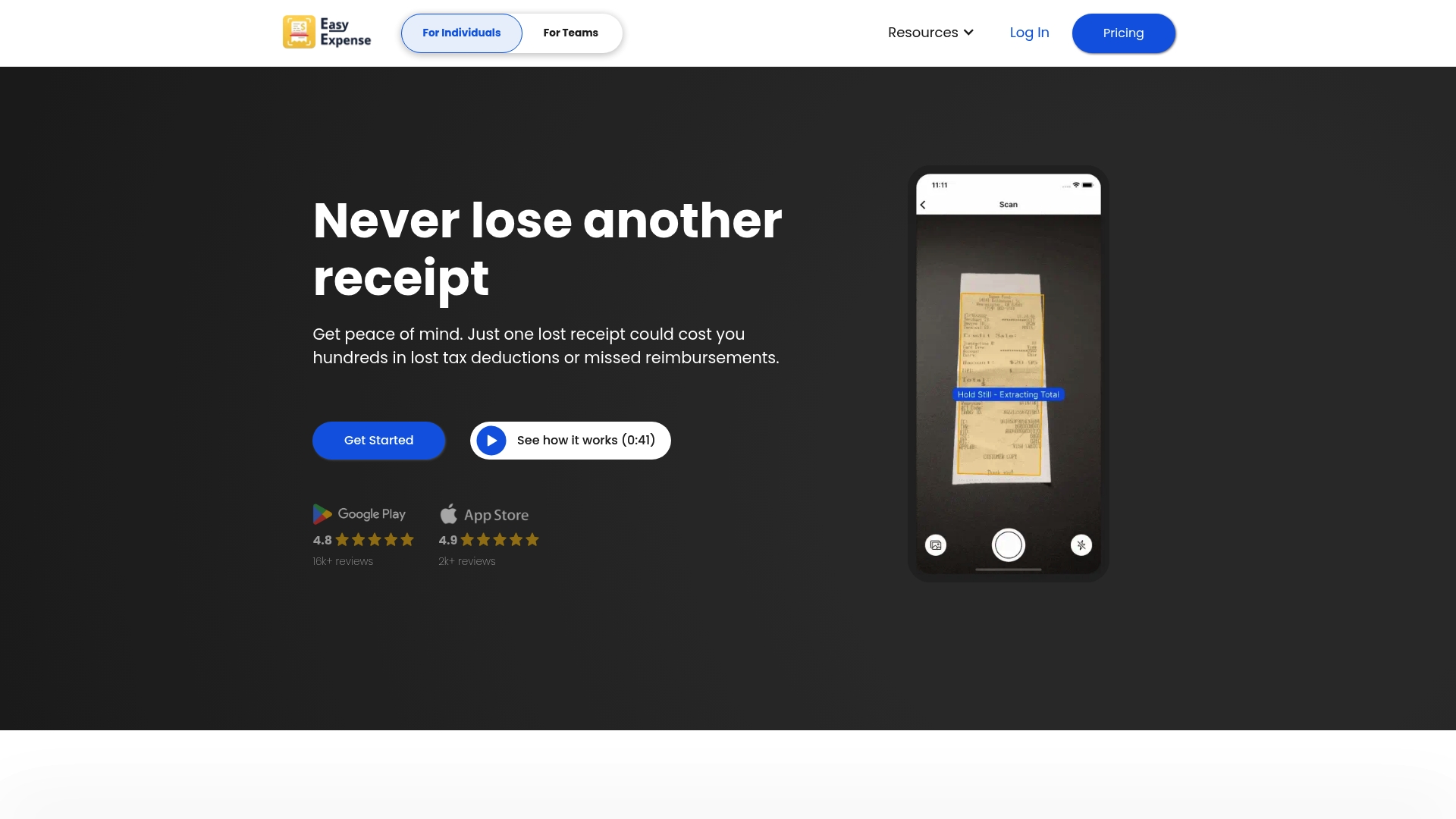
Easy Expense is a lightweight expense management app that focuses on speed and simplicity for individuals and small teams. Its clean interface and quick capture flow make it a solid choice for founders who need reliable receipt capture without overhead.
Core Features
The app combines receipt scanning with AI labeling to extract vendor, total, tax, date, payment method, and tax category automatically. It also offers automatic cropping, email receipt import, cloud backup, and GPS based mileage tracking with customizable rates and team onboarding tools.
Pros
Quick receipt capture: Scanning and automatic cropping save time when you add receipts after meetings or client visits.
Smart categorization: AI labeling reduces manual entry by tagging tax category, vendor, totals, and payment method automatically.
Strong mobile feedback: High customer ratings on Google Play and Apple Store reflect a responsive and user friendly experience.
Team friendly features: Email import, trip classification onboarding, and simple user invitations make small team setup straightforward.
Data protection: Cloud backup helps protect records and keeps access consistent across devices.
Cons
Bank reconciliation may not work with all banks, which could slow month end matching for some users.
Several advanced features require paid plans, so budget conscious users should verify costs before committing.
The website does not publish detailed pricing tiers, leaving some uncertainty for teams comparing total cost of ownership.
Who It’s For
Easy Expense is aimed at freelancers, small business owners, and early stage teams that want fast receipt capture, clear categorization, and simple mileage tracking. It fits founders who prefer practical tools over feature heavy suites and who file their own taxes or reimbursements.
Unique Value Proposition
Easy Expense stands out for combining fast mobile capture with practical AI extraction and GPS mileage in a single app. That mix lets busy founders reclaim hours previously spent on manual data entry and basic report assembly.
Real World Use Case
A freelancer can scan client receipts mid day, rely on AI to categorize tax related items, and let GPS track billable trips. At quarter end the freelancer exports reports for tax filing or reimbursement without hunting through shoeboxes of receipts.
Pricing
The website links to get started and view pricing plans but does not list specific prices in the public snippet. Prospective users should follow the pricing link on the site to compare plans for individuals and teams.
Website: https://www.easy-expense.com
Expensify
At a Glance
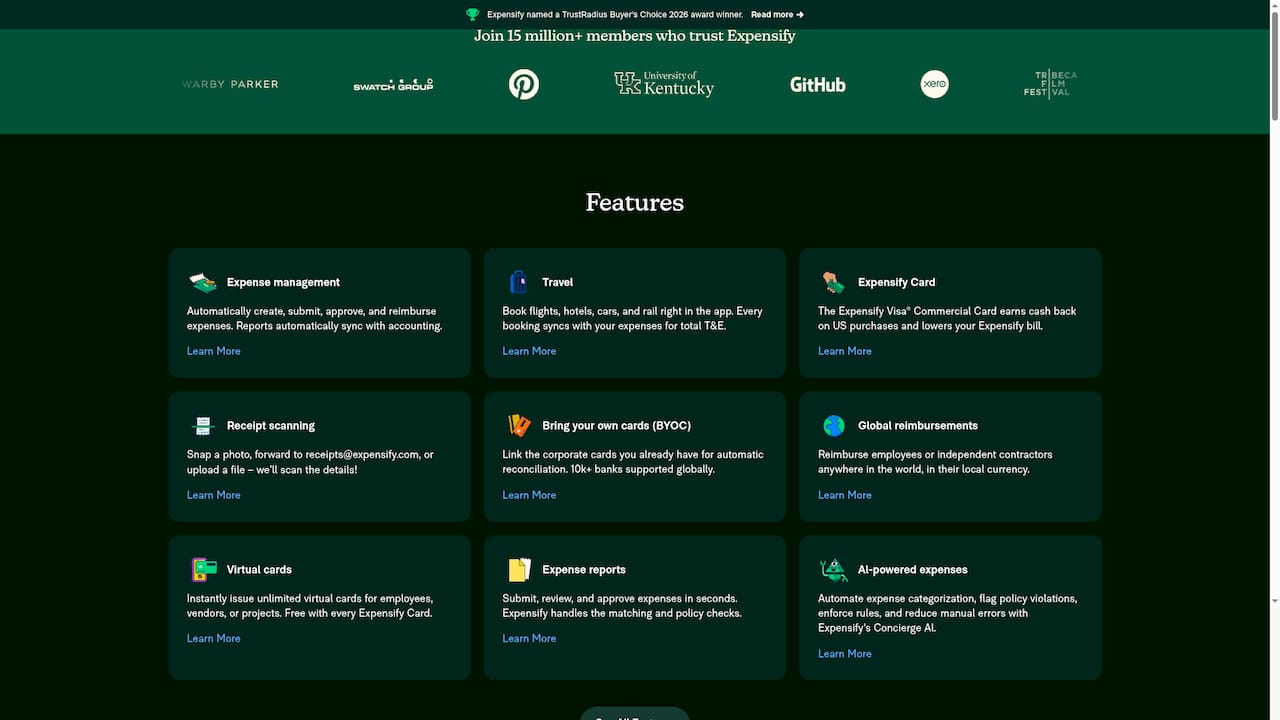
Expensify is an all in one expense management app that automates receipt capture, report creation, and reimbursements for businesses of all sizes. Its strength lies in automation and integrations that reduce manual bookkeeping for busy founders.
Core Features
Expensify centralizes expense management workflows so you can create, submit, approve, and reimburse expenses with less manual work. Reports sync with accounting systems to keep books aligned without extra data entry.
The platform also includes receipt scanning that extracts receipt details from photos or forwarded emails and a travel booking engine that ties trips directly into expense reports. The Expensify Card and Bring Your Own Cards support simplify reconciliation for cards from over 10,000 banks.
Pros
Expensify provides an all in one approach that automates many repetitive expense tasks, saving time for small teams and solo founders.
Expensify offers wide integration options including QuickBooks, Xero, and NetSuite, which keeps accounting workflows consistent across systems.
The interface is user friendly and has earned a high volume of five star reviews, which lowers training time for new staff.
Flexible plans accommodate solo users through large enterprises so you can scale functionality as your business grows.
Features such as receipt scanning, virtual cards, and travel booking add practical convenience for teams that travel or submit frequent expenses.
Cons
Some useful features and deeper integrations are gated behind paid plans which raises costs as teams add users.
Complex enterprise capabilities are available mainly in higher tier or customized plans which means more budget and setup for large organizations.
Real time access and syncing depend on internet connectivity, so offline capture and review are limited when service is unavailable.
Who It’s For
Entrepreneurs, finance teams, and accounting professionals who want to reduce manual expense work will benefit most from Expensify. Small business owners and solopreneurs gain immediate value from free basic tools while growing companies use paid plans for tighter control.
Unique Value Proposition
Expensify bundles expense capture, travel booking, corporate and virtual card support, and accounting integrations into a single workflow. That combination removes friction between spending, reporting, and reconciliation for teams focused on growth.
Real World Use Case
A small company uses Expensify to snap receipts, auto populate expense reports, and push finalized reports into their accounting system. The result is fewer manual journal entries and faster reimbursements for employees.
Pricing
Most individual users access basic features for free. Business plans start at $5 per member per month for Collect. The Control plan lists custom pricing with rates as low as $9 per active member per month.
Website: https://www.expensify.com
QuickBooks
At a Glance
QuickBooks delivers a broad accounting and financial toolkit for small and mid sized businesses, combining bookkeeping, payroll, and payments in one platform. For founders who need automation and AI driven insights, it offers tangible time savings and clearer financial visibility.
Core Features
QuickBooks covers bookkeeping, payroll, and payments, plus tax and planning tools that keep day to day finance work in one place. The platform includes AI powered insights for bookkeeping, tax deductions, and cash flow recommendations to help you make faster financial decisions.
Pros
Comprehensive toolset: QuickBooks bundles accounting, payroll, and payment processing so you do not juggle separate systems.
AI driven automation: The platform uses AI to surface deductions and bookkeeping suggestions that reduce manual entry.
Large integration ecosystem: With over 800 app integrations, QuickBooks connects to banking, CRM, and inventory tools you may already use.
Flexible plans: Multiple plan tiers let you scale from a solo owner to a growing team without changing platforms immediately.
Wide adoption: The product is trusted by millions of businesses which supports a rich knowledge base and third party tool support.
Cons
The platform can feel complex for very small or brand new businesses that need only basic expense tracking.
Pricing and plan structure can be confusing without a demo or trial because some capabilities require add ons or higher tiers.
Several advanced features require upgrades or additional purchases which increases total cost for scaling teams.
Who It’s For
QuickBooks fits small to mid sized business owners who need an integrated finance solution that grows with their company. If you run payroll, accept payments, and want automated bookkeeping and tax suggestions, this product reduces the overhead of managing multiple vendors.
Unique Value Proposition
QuickBooks combines breadth and automation in a single platform so you manage accounting, payroll, and cash flow from one dashboard. Its size and integration network let you layer industry specific tools without rebuilding your stack as you scale.
Real World Use Case
A retail store uses QuickBooks to record daily sales, reconcile bank deposits, run payroll for employees, and generate monthly AI driven financial reports. The owner uses those reports to decide staffing levels and to prepare more accurate tax filings.
Pricing
Pricing varies by plan with promotional offers such as 50 percent off for three months and free expert assistance for 30 days. Plans include Simple Start, Essentials, Plus, and Advanced with specific features and add ons tied to higher tiers.
Website: https://quickbooks.intuit.com
Sage Expense Management
At a Glance
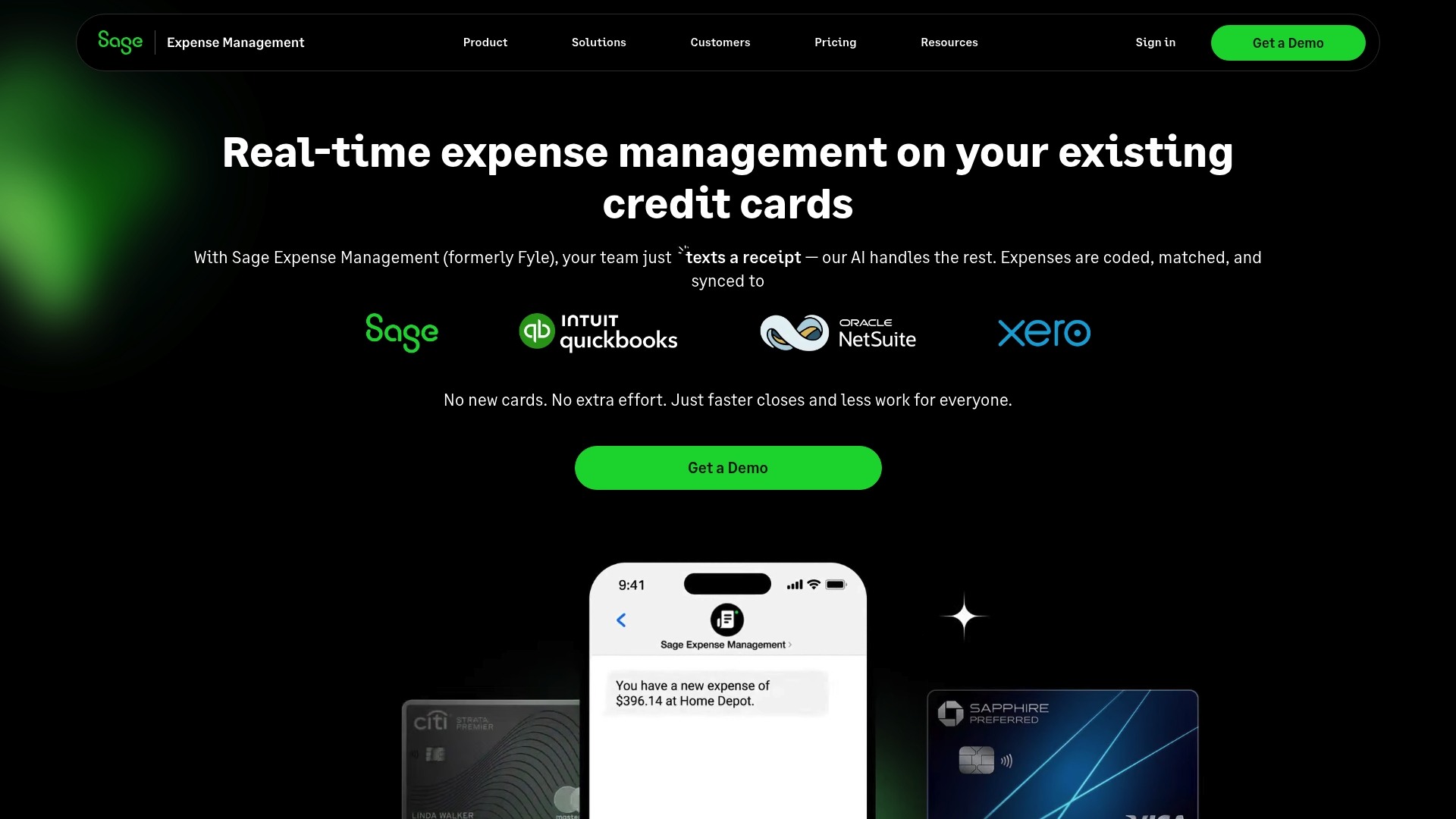
Sage Expense Management is an AI-powered expense platform that automates receipt capture, reconciliation, and approval workflows for finance teams and employees. It delivers real-time control and faster month end closing while working with existing credit cards and accounting systems.
Core Features
Core features center on automated receipt capture and tight accounting integration to reduce manual work. Highlights include receipt submission via text message, receipt tracking from everyday apps, expense, mileage and per diem tracking, Automated approvals, ACH reimbursements for US customers, and an AI-powered Copilot for quick insights.
Pros
Automates expense reconciliation: The platform reduces manual data entry by matching receipts to transactions automatically which saves time for finance teams.
Real-time spend visibility: Alerts and live controls let managers monitor budgets and intervene before overspending occurs.
Seamless accounting integrations: Native connections with major accounting systems and credit cards make month end closing faster and cleaner.
User friendly mobile experience: The mobile app accepts receipt photos via text which simplifies submission for employees on the go.
Custom approval workflows: Administrators can set routing and compliance rules so expenses follow company policy automatically.
Cons
Pricing transparency varies: Enterprise pricing often requires direct contact which makes cost comparisons more difficult for planning.
Additional costs for advanced items: Features such as single sign on or dedicated support may incur extra fees that increase total cost of ownership.
Complex for very small teams: The platform offers deep functionality that can overwhelm organizations with simple expense needs and limited admin resources.
Who It’s For
This product suits mid sized to large organizations that use corporate credit cards and require compliance, approvals, and accounting alignment. Finance teams that need automated reconciliation and managers who want live budget controls will benefit most.
Unique Value Proposition
Sage stands out by letting teams capture receipts in real time without issuing new cards while tying every transaction directly to accounting systems. The mix of real-time alerts, receipt submission via text, and an AI Copilot creates a closed loop from purchase to reconciliation.
Real World Use Case
A construction company receives transaction alerts and replies to them with receipt photos by text. Sage automatically matches receipts to card charges and routes exceptions to the right approver which speeds project cost reporting and reduces month end backlog.
Pricing
Pricing starts at $11.99 per active user per month billed annually, with tiered Business and Enterprise plans available for larger organizations.
Website: https://www.fylehq.com
Intuit
At a Glance
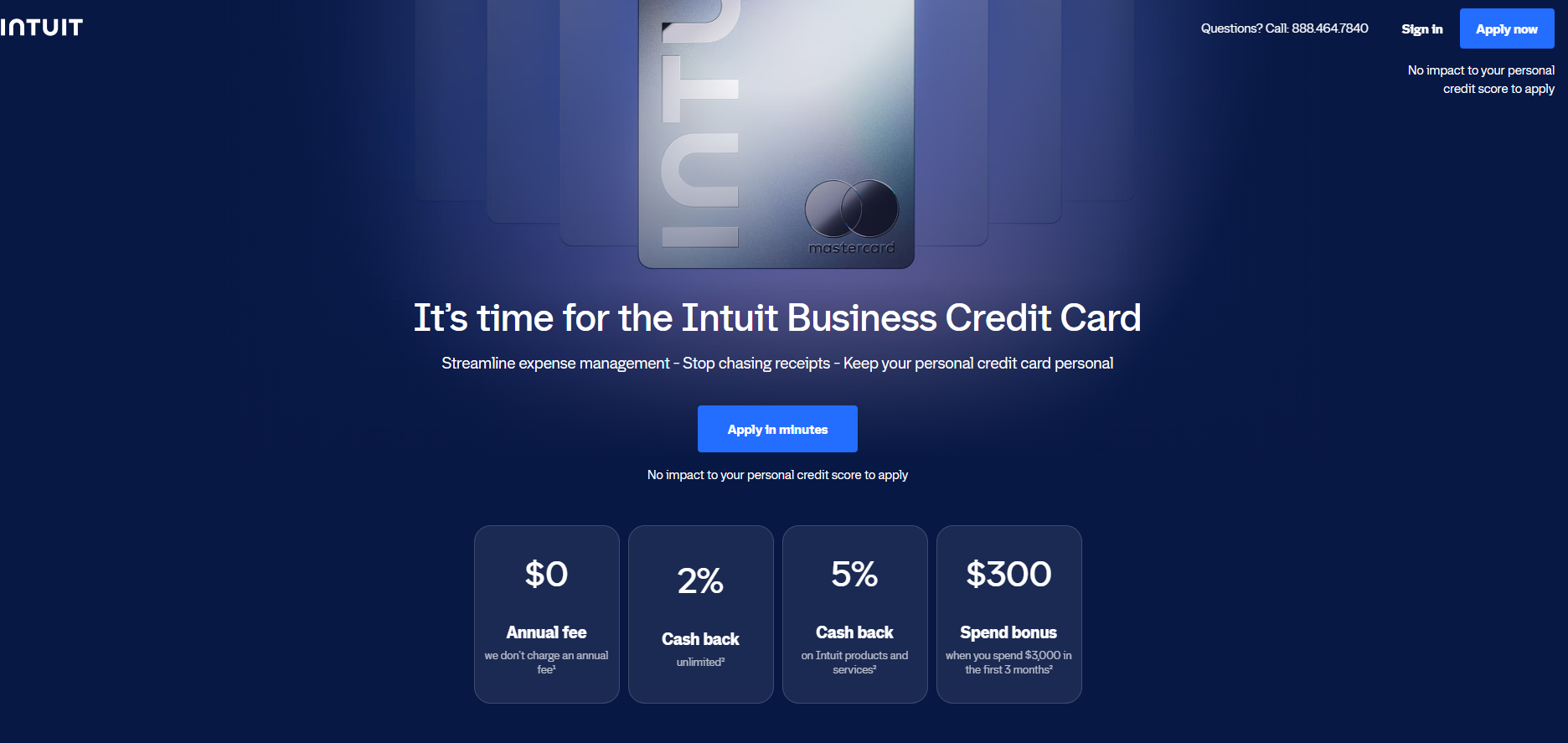
The Intuit Business Credit Card helps growing businesses track spending as it happens, with purchases natively syncing to QuickBooks for real-time visibility. Receipt uploads can automatically match to QuickBooks transactions, keeping expense records organized with less manual work.
Core Features
Cardholders get unlimited 2% cash back on everyday purchases and 5% cash back on purchased Intuit products and services, excluding transactional fees; see Rewards Program Terms for details. Employee cards with spending limits and controls help teams manage shared expenses, while credit is based on the broader business rather than only the owner's personal credit score.
Pros
Native synchronization with QuickBooks eliminates manual data entry and speeds up month-end reconciliation.
Offers competitive cash back rewards (2% on everyday business purchases and 5% on Intuit products).
Credit evaluation considers the broader business profile, not just the owner's personal credit score.
Includes employee cards with customizable spending limits and real-time tracking at no extra cost.
Cons
The card's maximum value and seamless functionality are restricted to businesses already operating within the QuickBooks ecosystem.
It lacks the highly specialized travel booking and global reimbursement workflows found in dedicated enterprise expense platforms.
Who It’s For
It is a practical fit for small and growing businesses already using QuickBooks that want expense visibility, receipt organization, and team spending controls in one workflow.
Unique Value Proposition
The Intuit Business Credit Card bridges the gap between purchasing and accounting by turning a rewarding corporate card into an automated bookkeeping tool. It removes the friction of third-party integrations by natively linking your spending directly to your ledger.
Real World Use Case
A local consulting firm issues employee cards to its team members to cover travel expenses and client lunches. The owner sets individual spending controls for each employee. As the team makes purchases, the transactions and uploaded receipts instantly sync to the firm's QuickBooks account, allowing the bookkeeper to review and approve categorized expenses on the fly rather than hunting down paper receipts at the end of the month.
Pricing
No annual fee; see the Intuit Business Credit Card Cardholder Agreement. Intuit Business Credit Cards are issued by WebBank.
Website: https://intuit.com/
Business Tools Comparison
Here is a detailed comparison table of the business tools described above, to provide a clear overview of their features and offerings for informed decision-making.
Product Name | Features | Pros | Cons | Pricing Information |
|---|---|---|---|---|
Brex | Centralized business spending with AI-powered finance | Combines corporate cards, bills and travel with automats and real-time tracking | Advanced features have higher spending limits | Multiple plans with varying pricing. |
Easy Expense | Receipt scanning | Quick and simple usage | Not all bank reconciliations supported | Pricing not publicly specified |
Expensify | Receipt scanning | Automates repeating tasks | Limited offline functionalities | Free for basic individual plans |
QuickBooks | Bookkeeping and payroll | Integrated solutions | Complex for new users | Pricing starts at discounted offers |
Sage Expense Management | Real-time approvals | User-friendly interface | Pricing transparency variation | Starts at $11.99 per user per month |
Intuit Business Credit Card | Native synchronization with QuickBooks for real-time expense tracking, automated receipt matching, unlimited 2% cash back (5% on Intuit products), and employee cards with customizable spending controls. | Eliminates manual data entry via seamless QuickBooks integration; offers strong cash back rewards; provides employee cards at no extra cost; credit is based on the business profile rather than just personal credit. | Only beneficial for businesses already operating within the QuickBooks ecosystem; lacks specialized travel booking and global reimbursement workflows. | No annual fee |
Master Your Business Expenses and Strategy with Confidence
Tracking business expenses efficiently is critical to maintaining clear financial visibility and avoiding costly errors. As highlighted in the “Top 6 Programs to Keep Track of Business Expenses 2026,” many founders face challenges like manual data entry, fraud prevention, and integration complexity. They want tools that not only capture expenses quickly but also provide actionable insights to accelerate growth and reduce risk.
Siift’s Intelligent Business Canvas tackles these pain points by offering more than just expense tracking. It systematically guides entrepreneurs through ideation, validation, and go-to-market with its Agentic AI, helping you develop a validated strategy while securing your business operations from fraudulent activity. Take control of your startup’s financial health and strategy with a platform designed for real founders and real challenges. Explore how Siift can help you achieve traction faster at siift.ai and start building a safer, smarter business today.
Frequently Asked Questions
How do I choose the right program to keep track of business expenses?
To choose the right program, assess your specific needs such as receipt scanning, reporting capabilities, and integration with existing tools. Consider creating a shortlist of programs that meet these criteria and sign up for free trials to test their usability.
What features should I look for in an expense tracking program in 2026?
In 2026, look for features like automated receipt capture, AI labeling for categorization, cloud backup, and real-time reporting. Prioritize programs that simplify the expense submission process and offer mobile access for on-the-go management.
Can I use expense tracking programs for team collaboration?
Yes, many expense tracking programs are designed for team collaboration, allowing multiple users to submit and approve expenses easily. Consider platforms that include user-friendly features for team onboarding and expense categorization to streamline the process.
How can expense tracking programs help reduce mistakes in my financial records?
Expense tracking programs help reduce mistakes by automating data entry and integrating directly with accounting systems to ensure accuracy. Use programs that offer real-time alerts and approvals to catch potential discrepancies before they affect your financial records.
How do expense tracking solutions manage mileage and travel expenses?
Expense tracking solutions typically include features for mileage tracking based on GPS and allow you to categorize travel expenses. To manage your travel expenses effectively, look for programs that consolidate these functions, making it easy to report and reimburse those costs.