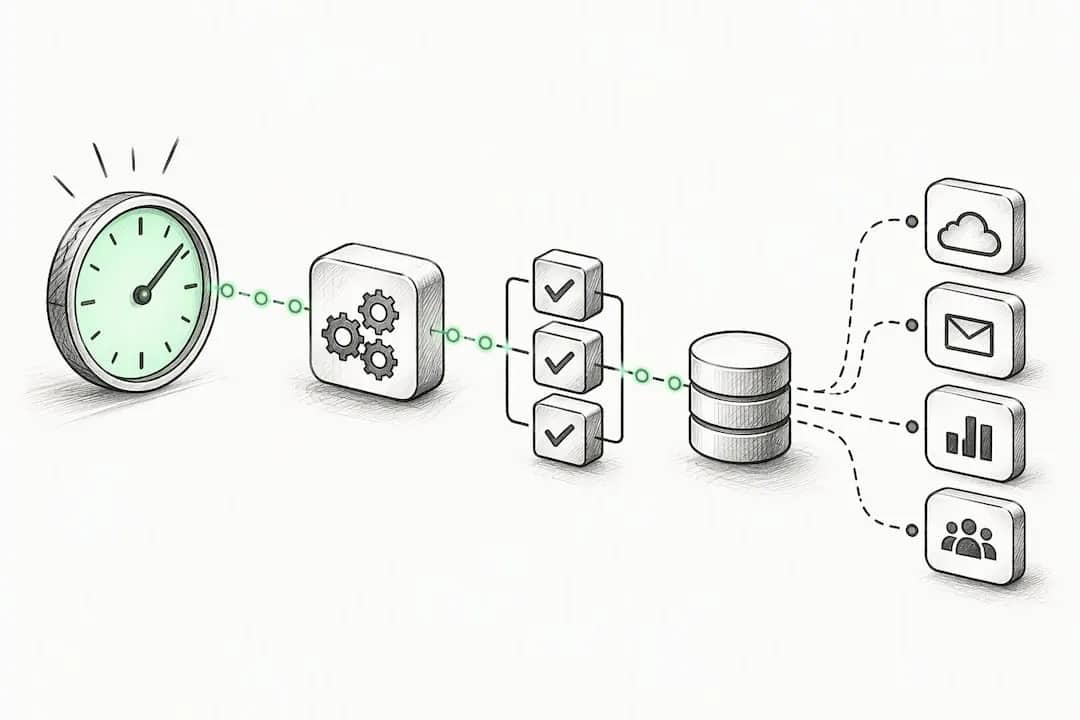

For founders, a “cron job” isn’t a server task, it’s an automated, scheduled business workflow: a weekly report, a drip of outreach emails, a nightly check that flags when something’s off. Some of these can run on autopilot. Anything that touches a customer’s inbox or wallet needs a human in the loop before it fires. Start with durable, observable workflows, and build the human gate in from day one.
TL;DR:
- For workflows spanning multiple steps or requiring recovery from failures, durability features like checkpointing and state persistence are essential to prevent data loss.
- Retry rules must distinguish between temporary errors, such as timeouts, and permanent failures, with exponential backoff applied to avoid overwhelming services.
- All commercial outbound emails must include a clear opt-out option, be promptly honored, and be classified correctly as transactional or marketing under strict legal standards.
- Testing workflows in a staging environment and implementing logging and alerts improve reliability and ensure timely detection of silent failures.
- Small, staged automations with human review gates outperform large, complex scripts in scaling effectively without risking errors or reputation damage.
Table of Contents
- What a scheduled business workflow actually looks like
- Building reliability: durable execution, retries, and idempotency
- The legal rules for automating outbound sends
- Keeping scheduled jobs monitored, tested, and honest
- Three templates you can copy this week
- Automation is leverage, not an excuse to disappear
- Where siift fits if you want a more structured approach
- Sources
- FAQ
What a scheduled business workflow actually looks like
Every automated workflow has the same four bones: a trigger that decides when to run, an orchestration layer that sequences the steps, the steps themselves, and a place to store state between runs. Add external integrations (your CRM, email provider, database) and you’ve got the full skeleton.
The decision that matters is scale. A simple scheduled job, one script, one task, no memory of past runs, works fine for something like “pull yesterday’s signups into a spreadsheet.” But the moment your workflow spans multiple steps with dependencies, needs to survive a crash halfway through, or waits on a human approval, you need durable orchestration. Cloudflare Workflows is a good example of this category: it persists state between steps, retries automatically, and can pause for external events like an approval click.
Here’s a quick way to map your process:
- One task, no memory needed: a basic scheduler is enough.
- Multiple steps, needs to resume after failure: you need durable execution.
- Involves a payment, a send, or an irreversible action: you need a human approval step built into the workflow, not bolted on after.
Get this mapping wrong and you’ll either over-engineer a simple report or under-engineer something that emails 10,000 people twice by accident.
Building reliability: durable execution, retries, and idempotency
Reliability isn’t glamorous, but it’s the difference between a workflow you trust and one you’re afraid to touch. Three concepts do most of the work.
Checkpointing means your workflow remembers where it left off. Durable execution layers use checkpointing and observable states so a workflow can resume after an interruption instead of quietly failing and leaving you to find out three days later, per WorkflowEngine’s durable execution documentation. That observability also lets you catch stale runs and missing data before they become customer-facing problems.
Retries need rules, not blind repetition. Classify errors as retryable (a timeout, a rate limit) or not (a malformed input that will fail every time). Exponential backoff, waiting longer between each retry, keeps you from hammering a struggling service.
Idempotency is what keeps retries from becoming duplicate charges or duplicate emails. According to AWS’s guidance on idempotency and retries, at-least-once retry semantics are only safe for operations that are idempotent by design, while true one-shot actions like charging a card need at-most-once semantics or an idempotency key the external service can deduplicate against. Generate that key inside the workflow step itself, not upstream, so it stays tied to the specific attempt.
Keep steps small, atomic, and deterministically named. A step that does five things is a step you can’t safely retry.
Pro Tip: Never use Date.now() or a random number generator outside a workflow step. It breaks replay consistency and makes debugging a nightmare after a restart.

The legal rules for automating outbound sends
This is the part founders skip until they get a complaint, and by then it’s expensive. Any scheduled email that’s commercial in nature falls under the FTC’s CAN-SPAM Act, and the rules aren’t optional or negotiable.
- Every commercial email needs a clear opt-out mechanism, and you must honor opt-out requests promptly, with no fee and no extra steps required of the recipient.
- This applies even to existing subscribers or members, not just cold outreach.
- Figure out if your message is commercial or transactional. The primary purpose test looks at what the email is mainly trying to do: a receipt is transactional, a “check out our new feature” nudge is commercial, and mixed messages get judged by their dominant content.
- Build in a suppression list and List-Unsubscribe headers so opt-outs propagate automatically instead of relying on someone remembering to update a spreadsheet.
None of this replaces legal advice for your specific situation, but the operational fix is simple: put a human review gate before any staged outreach sequence goes live, and check our guide to email marketing fundamentals for the practical side of staying compliant while still growing.
Keeping scheduled jobs monitored, tested, and honest
A cron job you can’t see is a cron job you can’t trust. Treat monitoring and testing as part of the build, not a nice-to-have you’ll add later.
- Test in a staging environment first, using sandbox data or a compressed timeline so you catch failures before real customers do.
- Log every step, not just the final outcome, and set alerts for runs that go stale or silently stop.
- Sort failures into two buckets: retryable (timeouts, rate limits) that the system handles automatically, and everything else that escalates to a human.
- Plan your schedule around runtime plus a buffer, so a slow Tuesday run doesn’t overlap Wednesday’s and double up work. Enterprise scheduling guidance from Oracle’s best practices for scheduled processes makes this same point: test on staging, and revisit frequency as your needs change instead of setting it once and forgetting it.
Three templates you can copy this week
You don’t need to invent a workflow from scratch. Here are three founders reach for constantly, adapted to whatever stack you’re already running.
- Weekly KPI report: trigger on a fixed schedule, pull data from your sources, aggregate it into a summary, deliver it by email or Slack, and log a checkpoint confirming the run completed cleanly.
- Staged outreach: send a small sample batch first, route it through a human approval gate, check every recipient against your suppression list, and only then ramp up to the full send.
- Daily validation check: scan for anomalies overnight, auto-fix the low-risk ones, and open a ticket for a human when something needs judgment instead of trying to patch it silently.
Start with the smallest version of each. A rough weekly report that runs reliably beats a polished one that silently breaks. For the outreach template specifically, this marketing automation checklist is a solid companion for staging rollouts without torching your sender reputation.
Automation is leverage, not an excuse to disappear
The mistake I see constantly is founders treating automation like a “set and forget” script: build it once, walk away, hope. That’s not leverage, that’s a liability with a delay timer.
Small, observable automations with human gates at the risky points scale far better than one sprawling script nobody fully understands. Some structured platforms build this discipline into how founders map their workflows from the start, which is a habit worth borrowing.
— Samim Safaei
Where siift fits if you want a more structured approach
If cron jobs are the plumbing, siift is more like the blueprint. Its New Business OS helps founders map out repeatable workflows, from validation checks to go-to-market sequences, as part of a structured strategy rather than a pile of disconnected scripts. It’s not a replacement for a workflow engine, it’s a different layer: the thinking that decides what’s worth automating in the first place.

If you’re weighing whether to build your own orchestration or want a clearer system for turning ideas into validated, repeatable playbooks, check the siift pricing page or explore the solutions overview to see if it fits how you work.
Sources
- CAN-SPAM Act: A Compliance Guide for Business | Federal Trade Commission
- Idempotency and retries - AWS Durable Execution SDK Developer Guide
- Cloudflare Workflows
- Durable execution features and evaluation | WorkflowEngine docs
FAQ
What does “cron job” mean for a startup founder?
For founders, a cron job is a scheduled business workflow, like a weekly report or an automated outreach sequence, not a technical server task. The goal is the same either way: run something reliably on a timetable without a person triggering it manually every time.
How often should a scheduled business task run?
It depends on the task’s purpose and its resource cost: a KPI report might run weekly, while a validation check might run daily. Set the schedule around how long the task actually takes plus a buffer, so runs never overlap, following the same logic in Oracle’s scheduled process guidance.
Do automated marketing emails need an unsubscribe link?
Yes. Every commercial email must include a clear opt-out mechanism, and the FTC’s CAN-SPAM Act requires opt-out requests to be honored within 10 business days with no fee or extra step required.
What’s the difference between a simple scheduler and a durable workflow engine?
A simple scheduler runs a single task on a timer with no memory of previous runs, fine for basic, low-risk jobs. A durable workflow engine, like Cloudflare Workflows, persists state across multi-step processes, retries failed steps, and can pause for human approval before continuing.
How do I prevent a retried job from sending duplicate emails or charges?
Use idempotency keys so retried actions are recognized and deduplicated by the external service instead of executing twice. AWS’s guidance on idempotency and retries recommends generating that key inside the workflow step itself for one-shot actions like payments or sends.